
What Is AI Automation? Simple Examples for Small Businesses
AI automation means software that handles repetitive work for you. Here are real examples for small businesses in Pakistan, what not to automate, and how to start safely.
By Rehan Ali4 min readAI automation
On this page (8) +
AI automation sounds like something only big companies use. In practice it is quite ordinary: software that does a repetitive job for you, so your team can spend its time on the work only people can do.
This guide explains what AI automation is, how it differs from plain automation, gives examples a small business in Pakistan can use, and shows what to leave alone.
Automation, AI and AI automation
These three ideas are often mixed up:
- Automation follows fixed rules. "When someone fills in the form, add them to a list and send a confirmation." It does the same thing every time.
- AI can read, write and make judgments from messy information, such as understanding a customer's message or summarising a long email.
- AI automation combines the two. A rule starts the process, and AI handles the part that needs understanding, such as reading a message to decide who should answer it.
You do not need AI for everything. Plain automation is cheaper, more predictable and enough for many jobs. Add AI only where a task involves language or judgment.
Practical examples for small businesses
1. A fast first reply on WhatsApp. Someone messages your shop at 11pm. An automated reply says you received it, answers common questions (address, timings, price range) and says when a person will respond. See our WhatsApp chatbot service.
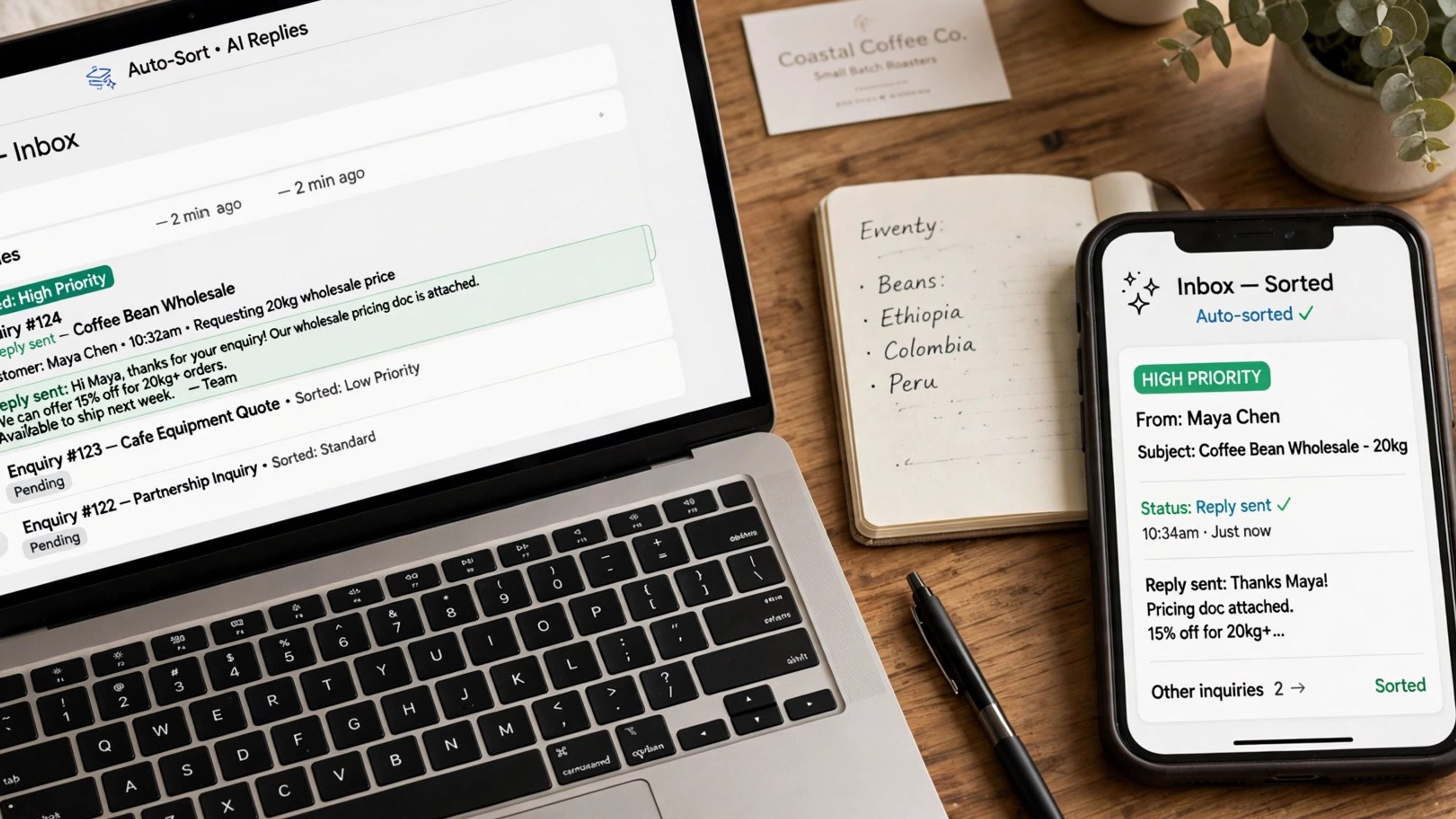
2. Sorting enquiries. Messages, forms and calls arrive in several places. Automation copies them into one list, tags each by service and source, and alerts the right person. See CRM software price in Pakistan.
3. Appointment reminders. A clinic, salon or school sends a reminder the day before and a simple way to reschedule. Fewer missed appointments, less time on the phone.
4. Follow-ups. A quote was sent three days ago and nobody replied. Automation nudges your team, or sends a polite message if the customer agreed to hear from you.
5. Review requests. After a job is finished, a short message invites the customer to leave an honest Google review, sent in the same way to everyone. See how to rank on Google in Pakistan.
6. Drafting and summarising. AI can draft a reply for your team to check, summarise a long chat or turn a voice note into a to-do list.
7. Reports. Instead of copying numbers into a spreadsheet every week, a report collects calls, enquiries and sales and summarises them.
8. Invoices and payment reminders. Create an invoice when a job is marked done, and send a gentle reminder when payment is late.
What not to automate
- Sensitive or emotional conversations. Complaints, bereavement, health worries. Hand these to a person quickly.
- Anything that needs real judgment or a legal sign-off. Contracts, refunds above a limit, medical or financial advice.
- Replies you cannot check. AI can sound confident and be wrong, so keep a person in the loop for anything important.
- Messages to people who did not agree to receive them. Spam damages your reputation and may break platform rules.
- Tasks you have not done manually first. If you do not understand the process, automating it only makes mistakes faster.
Risks to manage
- Wrong answers. An AI can invent details. Give it only information you have approved, and let it say "I'll ask the team" instead of guessing.
- Privacy. Do not send customers' sensitive details to tools you do not understand. Check where data is stored, and collect only what you need.
- Over-reliance. Review the automated work regularly, and keep a manual way to do everything.
- Cost creep. Many tools charge per message or per use. Check the pricing before you scale.
- A cold feeling. Customers should always be able to reach a person.
How to start
- Pick one job, not ten. A first reply or a reminder is a good start.
- Do it by hand for a few weeks and write down the steps.
- Build the simplest version that follows those steps.
- Test it yourself, with odd and difficult cases.
- Launch quietly, watch it daily, and fix what goes wrong.
- Measure time saved, replies sent faster and enquiries kept.
- Then add the next job.
What it costs
Costs depend on the tools, how many steps the process has and how much custom work is needed. Typical parts are:
- Set-up: designing and building the automation.
- Tools: monthly subscriptions or usage fees for the services involved.
- Messaging or AI usage: some platforms charge per message or per use.
- Maintenance: checking it, and fixing it when an app changes.
Ask for a written scope and for a list of every third-party cost. A good partner will show you what happens if the tool changes its price.
What Lixber does
We design and build automation for local businesses: WhatsApp replies, enquiry sorting, reminders, CRM set-up and reports, always with a person able to step in. We start with a free 30-minute call and a written plan. See our AI automation service.
Frequently asked questions
What is AI automation in simple words? It is software that does repetitive work for you, using fixed rules for the predictable parts and AI for the parts that need understanding, like reading a customer's message.
Is AI automation only for big companies? No. Small businesses often benefit most because one automated reply or reminder saves hours each week, and the tools are affordable to start.
Will AI automation replace my staff? It is better at taking over repetitive tasks than replacing people. Most small businesses use it so their team has more time for customers.
Is it safe to let AI talk to my customers? It can be, if you limit what it can say, give it approved information, make it hand over difficult questions and review its work. For sensitive topics, use a person.
How much does AI automation cost in Pakistan? It depends on the number of steps, the tools used and how much custom work is needed. Ask for a written quote that lists set-up, monthly tool costs and maintenance separately.
Do I need to know how to code? No. Many automations use ready-made tools, and an agency can build and look after them for you. You do need to know your own process well.
Want help with this?
Lixber can do it for you.
See how we handle ai automation for businesses in Pakistan, with a written plan and price after a free call.
Explore lixber.com/aiautomation →Newsletter
One practical tip a week.
Plain-English advice for local businesses. No spam.
Written by
Rehan AliRehan Ali is a software engineer and co-founder of Lixber, a digital agency building websites, SEO and automation for service businesses.
Keep reading
All guides
WhatsApp Broadcast vs Chatbot in Pakistan
By Rehan Ali8 min readAI automation
A WhatsApp broadcast sends one message to many customers at once, while a chatbot answers each customer on its own. Which fits your business, what each costs, and mistakes that get numbers blocked.
A WhatsApp broadcast sends one message to many customers at once, while a chatbot answers each customer on its own. Which fits your business, what each costs, and mistakes that get numbers blocked.
AI Automation for Schools in Pakistan: Answer Every Admission Enquiry Without Extra Staff
By Rehan Ali6 min readAI automation
How schools, colleges and academies in Pakistan can use AI automation and WhatsApp to answer admission enquiries instantly, book tests and campus visits, send fee reminders and keep parents informed.
How schools, colleges and academies in Pakistan can use AI automation and WhatsApp to answer admission enquiries instantly, book tests and campus visits, send fee reminders and keep parents informed.

Chatbot for Online Store in Pakistan: Guide
By Rehan Ali8 min readAI automation
A chatbot for an online store in Pakistan answers price, size and delivery questions on WhatsApp, takes orders and confirms cash on delivery. Here is how it works and how to set one up.
A chatbot for an online store in Pakistan answers price, size and delivery questions on WhatsApp, takes orders and confirms cash on delivery. Here is how it works and how to set one up.