
WhatsApp Automation in Pakistan: What It Is and How to Start
What WhatsApp automation is, how a WhatsApp chatbot actually works, what to automate first, what to keep human, and how a Pakistani business can start in five steps.
By Rehan Ali7 min readAI automation
On this page (19) +
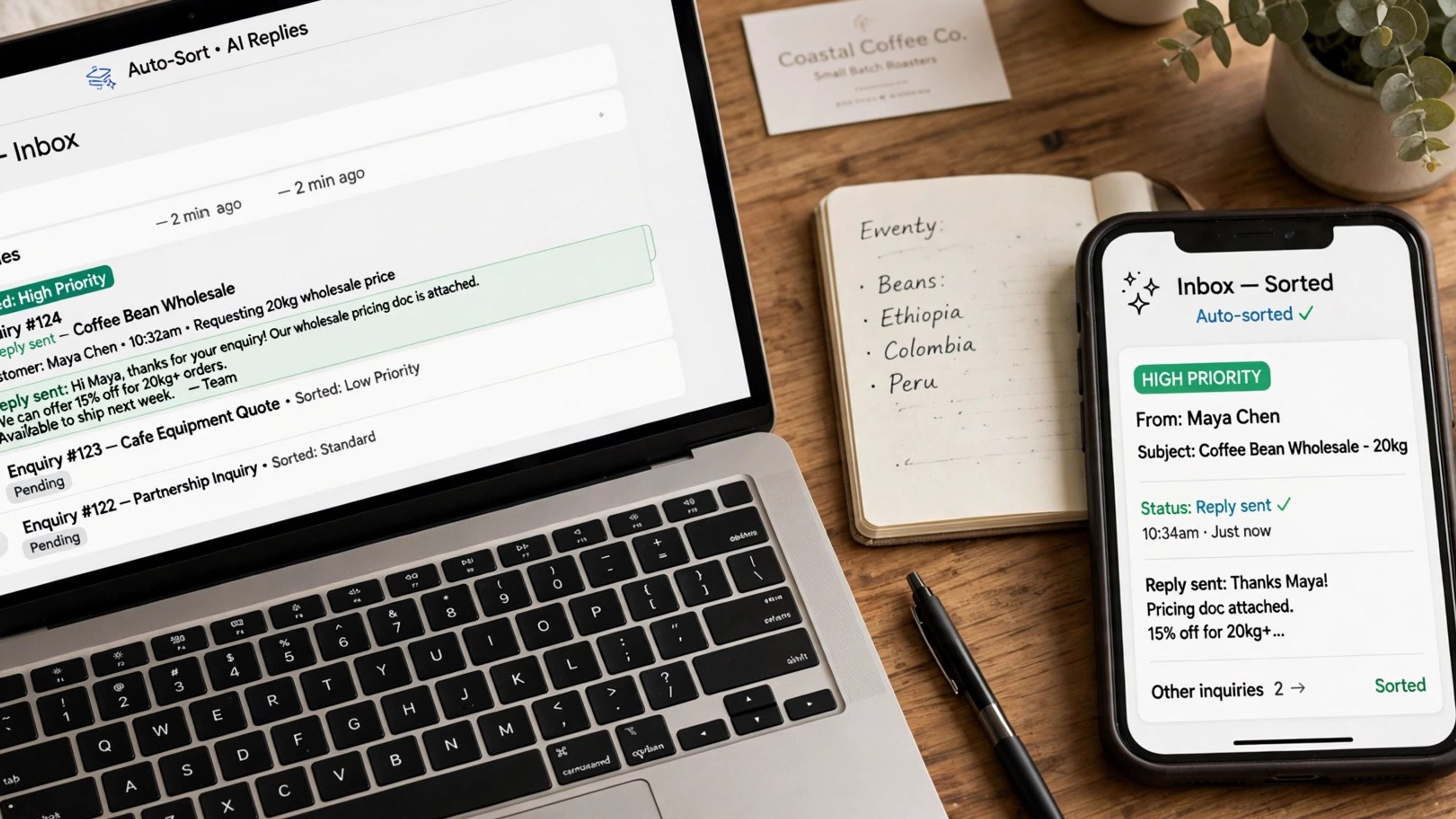
WhatsApp automation means letting software answer, sort and follow up on your WhatsApp messages so that customers get a reply in seconds, even at midnight, and your staff only step in when a real person is needed. It is not about replacing your team. It is about making sure the easy questions (prices, timings, location, availability) never sit unanswered for hours.
In Pakistan, WhatsApp is where most customers already talk to businesses. Clinics, salons, marquees, real estate agents, schools and online shops all get their enquiries there. This guide explains how WhatsApp automation works, what to automate first, what to keep human and how to start without wasting money. If automation in general is new to you, start with what AI automation is, with simple examples.
What is WhatsApp automation?
At the simplest level, WhatsApp automation is any message that goes out without someone typing it. That ranges from a basic greeting message to a full system that answers questions, books appointments, takes orders and updates your records. Most businesses use a mix of these:
- Instant replies: a customer sends "Price?" at 11pm and gets your price list, timings and location straight away.
- Menus and buttons: "Reply 1 for prices, 2 to book, 3 to talk to our team", so people find what they need without waiting.
- Bookings: the customer picks a date and time, and the booking goes into your calendar or sheet.
- Reminders and follow-ups: appointment reminders the day before, payment reminders, "your order has been dispatched" messages.
- AI replies: instead of fixed menus, an AI model reads the question in English, Urdu or Roman Urdu and answers from your own information.
- Lead capture: name, number and what they want are saved automatically, so nobody is lost in a long chat list.
How does a WhatsApp chatbot work?
A WhatsApp chatbot sounds technical, but the moving parts are simple. Here is what happens when a customer messages a business that has one:
- The customer sends a message to your business number, the same way they message anyone else.
- Because that number is connected to the WhatsApp Business Platform (the API), the message is passed to your chatbot software instead of only showing on one phone.
- The chatbot decides what the customer wants. A rule-based bot looks for keywords or button taps. An AI bot reads the whole message and understands it even when it is written casually, like "kal shaam ko slot hai?"
- It replies using only the information you gave it: your services, prices, timings, location, policies and FAQs.
- If the customer wants to book or order, the bot collects the details and saves them to your calendar, Google Sheet or CRM.
- If the question is sensitive, unusual or the customer asks for a person, the chat is handed to a staff member, who sees the full conversation and carries on from there.
That last step is the one most cheap setups skip, and it is the most important. A good automation knows when to stop talking and pass the chat to a human.
WhatsApp Business App or the API?
The free WhatsApp Business App already has some automation: a greeting message, an away message and quick replies. For a very small business with a handful of chats a day, that can be enough. Once you have several staff answering, dozens of enquiries a day, or you want bookings and AI replies, you need the WhatsApp Business Platform (API). We compare the two in detail in WhatsApp Business App vs API in Pakistan.
A quick rule of thumb: if you are losing customers because replies are slow, or your team is answering the same five questions all day, it is time to move beyond the app.
What to automate first
Do not try to automate everything on day one. Start with the messages that are repetitive, frequent and time-sensitive. For most Pakistani businesses those are:
- The first reply. Every enquiry gets an answer within seconds, with your main information and a clear next step.
- Prices and packages. "How much?" is the most common first message. Answer it clearly, or explain what the price depends on.
- Availability and booking. Let customers check a slot or a date and book it without waiting for a call back.
- Reminders. A reminder the day before an appointment or event cuts no-shows and saves your staff from making calls.
- Follow-up. A polite message a day or two after an enquiry that did not book, or after a visit asking for a Google review.
For examples by industry, see AI automation for clinics and how a wedding marquee should reply to WhatsApp enquiries.
What to keep human
Automation works best when it is honest about its limits. Keep these with your team:
- Complaints and unhappy customers. They want to feel heard by a person.
- Medical, legal or financial advice. The bot can book the consultation, but a qualified person should give the advice.
- Negotiation and custom quotes, such as wedding packages or property deals.
- Anything the bot is not sure about. It should say "Let me connect you with our team" instead of guessing.
How to start WhatsApp automation in 5 steps
1. List your top 20 questions
Scroll through your WhatsApp chats from the last month and write down the questions people ask most. You will usually find that a small set of questions makes up most of your messages. Write the best answer to each one. This list becomes the brain of your chatbot.
2. Decide what a "win" looks like
Is the goal a booked appointment, a site visit, an order or a phone call? Every automated conversation should lead towards that one action. A bot that answers questions but never asks "Shall I book you in?" is only half useful.
3. Get your number on the WhatsApp Business Platform
This needs a Meta Business account, business verification and a phone number that is not already tied to the regular WhatsApp app (or one you move over). An agency or official provider can do this for you. Plan for a few days, because verification can take time.
4. Connect it to where your work happens
Bookings should land in your calendar. Leads should land in a Google Sheet or a CRM. Orders should reach whoever packs them. If the chatbot cannot pass information on, your team ends up copying it by hand, and the time saved disappears.
5. Launch small, then improve every week
Start with the first reply, prices and booking. Read the conversations every week, see where customers got stuck or asked for a human, and add answers for those cases. A chatbot gets noticeably better in its first month simply from this review habit.
What does WhatsApp automation cost in Pakistan?
There are three parts to the cost: the one-off setup (planning, writing the answers, building the flows, connecting your calendar or CRM), a monthly fee for hosting, the software and ongoing changes, and Meta's own WhatsApp charges, which depend on how many and what type of messages you send. Replies to customers who message you first are generally much cheaper than marketing messages you send out yourself.
At Lixber, a WhatsApp bot or AI automation starts at Rs 90,000 setup plus Rs 12,000 a month. A larger setup with AI replies, bookings and CRM connection is Rs 150,000 plus Rs 20,000 a month. Meta's WhatsApp fees are separate and paid at cost. Every project gets a fixed written quote before any work starts.
For a full breakdown, read AI automation cost in Pakistan and WhatsApp chatbot price in Pakistan (and is it really free?).
Common mistakes to avoid
- Using unofficial "WhatsApp bulk sender" tools. They can get your number banned, and you lose every chat on it.
- Long menus. Five options is plenty. Customers stop reading after that.
- No way to reach a person. Always offer "talk to our team" and make sure someone actually picks it up during working hours.
- Letting the AI guess. It should answer only from your information. If it does not know, it hands over.
- Sending promotions to everyone. Message people who opted in, and keep marketing messages rare and useful.
- Setting it up and forgetting it. Prices, timings and offers change. Out-of-date answers lose trust quickly.
Frequently asked questions
Can a WhatsApp chatbot reply in Urdu and Roman Urdu?
Yes. An AI-based chatbot can understand and reply in English, Urdu and Roman Urdu, and it can match the language the customer writes in. Rule-based bots with fixed menus work in any language you write them in.
Will I lose my existing WhatsApp chats?
Moving a number from the WhatsApp app to the API does not carry old chat history into the new system, so back up anything important first. Many businesses keep their old number for personal contacts and use a new number for automation.
Can my staff still reply by hand?
Yes. With a shared inbox, several staff can reply from one number on their own computers or phones, and they can take over any automated chat at any time.
How long does setup take?
A simple setup with instant replies, prices and booking usually takes one to two weeks, most of which is Meta verification and writing good answers. Larger setups with CRM connections take longer and are scoped before we quote.
Get WhatsApp automation set up properly
Lixber builds WhatsApp chatbots and AI automation for Pakistani businesses: instant replies, bookings, reminders and lead capture, connected to the tools you already use, with a clear handover to your team. See our WhatsApp chatbot service or our wider AI automation services, then message us with your top 20 questions. We will reply with a fixed quote and a plan for what to automate first.
Want help with this?
Lixber can do it for you.
See how we handle ai automation for businesses in Pakistan, with a written plan and price after a free call.
Explore lixber.com/aiautomation →Newsletter
One practical tip a week.
Plain-English advice for local businesses. No spam.
Written by
Rehan AliRehan Ali is a software engineer and co-founder of Lixber, a digital agency building websites, SEO and automation for service businesses.
Keep reading
All guides
WhatsApp Broadcast vs Chatbot in Pakistan
By Rehan Ali8 min readAI automation
A WhatsApp broadcast sends one message to many customers at once, while a chatbot answers each customer on its own. Which fits your business, what each costs, and mistakes that get numbers blocked.
A WhatsApp broadcast sends one message to many customers at once, while a chatbot answers each customer on its own. Which fits your business, what each costs, and mistakes that get numbers blocked.
AI Automation for Schools in Pakistan: Answer Every Admission Enquiry Without Extra Staff
By Rehan Ali6 min readAI automation
How schools, colleges and academies in Pakistan can use AI automation and WhatsApp to answer admission enquiries instantly, book tests and campus visits, send fee reminders and keep parents informed.
How schools, colleges and academies in Pakistan can use AI automation and WhatsApp to answer admission enquiries instantly, book tests and campus visits, send fee reminders and keep parents informed.
Chatbot for Online Store in Pakistan: Guide
By Rehan Ali8 min readAI automation
A chatbot for an online store in Pakistan answers price, size and delivery questions on WhatsApp, takes orders and confirms cash on delivery. Here is how it works and how to set one up.
A chatbot for an online store in Pakistan answers price, size and delivery questions on WhatsApp, takes orders and confirms cash on delivery. Here is how it works and how to set one up.