
Google Business Profile for Doctors in Pakistan
A Google Business Profile for doctors in Pakistan puts your clinic on Google Maps when patients search nearby. Setup, verification, reviews and ranking steps for clinics and doctors.

On this page (13) +
A Google Business Profile for doctors in Pakistan is the free listing that puts your clinic on Google Maps when a patient searches for a doctor nearby. Most patients in Lahore, Karachi and Islamabad search "doctor near me" or "skin specialist in DHA" on their phone, and they call one of the first three clinics Google shows. If your clinic has no profile, or one with the wrong number and no photos, those patients call someone else.
This guide covers setup, verification, what to fill in, and how to rank higher on Google Maps, step by step.
What a Google Business Profile for doctors in Pakistan does
A Google Business Profile is your clinic's free listing on Google. It shows up on the right side of a Google search and in the map results when someone searches for a doctor, a clinic, or a treatment in your area. It shows your clinic name, address, phone number, timings, photos, services and patient reviews, all in one place.
Patients trust it because it feels official. A listing with real photos, correct timings and recent reviews looks like a working clinic, while one with no photos and a wrong number looks closed, even when it is not.
It also works while your clinic is closed. A patient searching at 10 pm can see your timings, read your reviews, and save your number for the morning.
How to set up a Google Business Profile for your clinic
Setting up a doctor Google Maps listing in Pakistan takes about half an hour, plus the wait for verification.
- Go to Google Business Profile and sign in with a Google account the clinic controls.
- Enter your clinic name exactly as it appears on your signboard. Do not add words like "best" or a list of treatments.
- Choose the category that fits your practice, such as "Doctor", "Dermatologist", "Dental clinic" or "Pediatrician".
- Add your address and place the map pin exactly on your clinic building, not on the main road. Patients follow the pin.
- Add your service area, such as Gulberg, Johar Town, DHA or Model Town, if you see patients from nearby areas.
- Add your phone number and your WhatsApp number if they are different. Use a number someone actually answers during clinic hours.
- Add your timings for every day, including Friday hours and any half-day. Wrong timings are a common reason patients leave a bad review.
- Add your website address if you have one. A clinic website that matches your listing makes both rank better.
- Write a short description of what you treat and who you see, in plain words.
- Add real photos of the clinic: the reception, the waiting area, the consultation room and the signboard.

Getting your clinic verified on Google in Pakistan
Verification proves to Google that the clinic is real and that you may manage its listing. Until you verify, your profile may not show up properly in search results, and you cannot reply to reviews.
Most clinics in Pakistan get the video verification option. Google asks you to record a short video showing the signboard with the clinic name, the entrance, the reception area and your own face. You do not need to speak. Record it in good light, keep it steady, and make sure the clinic name is readable.
If verification fails, the usual reasons are simple: the name does not match the signboard, the map pin is in the wrong place, or the video is too dark or too shaky to read. Fix the detail Google flagged, and try again. Do not create a second profile for the same clinic, because two listings split your reviews and confuse Google.
What to add to your doctor Google Maps listing in Pakistan
A verified profile is only the start. A half-empty listing ranks lower and gets fewer calls than a complete one, so fill in every section.
Start with your services. List the treatments you actually handle, in the words patients use: a skin specialist lists acne treatment and hair fall, a child specialist lists vaccination and newborn care. Then add your attributes honestly: separate waiting areas for women, parking, wheelchair access, or a female doctor on certain days. Many women patients in Pakistan specifically look for a female doctor.
Add photos regularly, not just once. A fresh photo every week or two tells Google the clinic is active: the consultation room, the equipment, the team, and the signboard from the street. Never publish a patient's face, name or medical details in a photo without their written permission.
Use the posts feature to share short updates: a change in timings for Eid, a new service, or a health tip. Posts stay visible for a few weeks and show the clinic is active.
How patients find you: ranking on Google Maps in Pakistan
Your profile does not rank by itself. Google shows first the clinics closest to the patient, with the most complete and active profiles and the most honest reviews.
Closeness matters most. A patient searching in Johar Town will usually see clinics in Johar Town first, even if a clinic in DHA has more reviews. That is why your address and map pin must be exact, and why it helps to mention the areas you serve on your website.
Reviews are the second big factor. A clinic with twenty honest reviews outranks a clinic with two, and new patients read them before they call. Ask at the end of a visit and send your review link on WhatsApp. Never buy reviews, because Google removes fake ones and can suspend the profile.
Activity is the third factor. A profile with new photos, new posts and answered reviews looks alive to Google, while one that has not changed in a year slowly sinks. Spend fifteen minutes a week on it: answer new reviews, add a photo, and post one short update. If you want the profile to rank faster, local SEO work on your website and listing can help.
Google reviews for doctors in Pakistan: how to ask, how to reply
Reviews make most doctors nervous, but a few honest reviews, answered well, do more for your clinic than a hundred silent ones.
Ask every happy patient at the end of a visit: a short review on Google helps other patients find the clinic. Send the review link on WhatsApp so it takes ten seconds. Do not ask staff or family to write reviews.
Reply to every review, good and bad, and keep it short. For a bad review, stay calm: thank them, apologise, and invite them to contact the clinic directly. Do not argue, and do not share medical details. A calm reply to a complaint often impresses the next patient more than the complaint puts them off. If a review is fake, report it to Google.

Google Business Profile or a website: what a clinic needs first
A doctor who can only do one thing first should set up the Google Business Profile. It is free, it puts the clinic on Google Maps, and it starts bringing calls within weeks. But a profile alone has limits: it cannot explain a treatment in detail, it cannot take bookings after hours, and Google controls it. A website is yours, and it keeps working even if a profile is suspended.
| Google Business Profile | Own website | |
|---|---|---|
| Cost to start | Free | It varies with size and features |
| Found on Google Maps | Yes, this is its main job | Helps, but the profile ranks first |
| Explains treatments in detail | Only short service lists | Yes, a full page per service |
| Takes bookings after hours | Only by phone or WhatsApp | Yes, with a form or booking system |
| You own it | No, Google controls it | Yes, domain and content are yours |
| Best for | Being found nearby, fast | Trust, detail, and bookings |
The sensible answer for most clinics is both, in that order: profile first, then a simple website that matches it. Start with the profile this week, and add a properly designed website once the profile is verified and bringing in calls. Keep the name, address and phone number identical on both.
Frequently asked questions about a Google Business Profile for doctors in Pakistan
Is a Google Business Profile free for doctors in Pakistan?
Yes. Creating and managing a Google Business Profile is free. Google may ask for verification by video or postcard, but there is no fee for the listing itself. Anyone who charges you to create a basic profile is charging for their time, not for a Google fee.
How long does it take to verify a clinic on Google in Pakistan?
Video verification usually takes a few days. Postcard verification takes one to two weeks for the card to arrive at your clinic address in Pakistan. If verification fails, fix the detail Google flagged and submit again.
Can a doctor have a Google Business Profile at a hospital as well as a clinic?
Yes, if you practise at two different places. Each location needs its own profile with its own address, timings and phone number. Do not use the same phone number and address on both.
How do I get more Google reviews for my clinic in Pakistan?
Ask happy patients at the end of their visit and send your review link on WhatsApp. Ask regularly and reply to every review. Never buy reviews or offer a discount for one.
What should I do if my clinic's Google Business Profile is suspended in Pakistan?
First, read the reason Google gives in your profile dashboard: usually a name that does not match the signboard, extra keywords in the name, or a duplicate listing. Fix the problem, then submit a reinstatement request with proof, such as a photo of your signboard.
A Google Business Profile for doctors in Pakistan is the cheapest marketing a clinic can do: free, on Google Maps, and working every time a patient nearby searches for a doctor. Set it up, verify it, fill it in completely, and keep it active with photos, posts and honest reviews. If you want help with your profile or a website to match it, message Lixber on WhatsApp or book a free call at https://www.lixber.com/#contact.
Want help with this?
Lixber can do it for you.
See how we handle seo for businesses in Pakistan, with a written plan and price after a free call.
Explore lixber.com/seo →Newsletter
One practical tip a week.
Plain-English advice for local businesses. No spam.
Written by
Rehan AliRehan Ali is a software engineer and co-founder of Lixber, a digital agency building websites, SEO and automation for service businesses.
Keep reading
All guides
How to Recover a Lost Google Business Profile in Pakistan
Lost access to your Google Business Profile? This guide shows Pakistani business owners how to recover it step by step, from requesting access to appealing a suspension.
Lost access to your Google Business Profile? This guide shows Pakistani business owners how to recover it step by step, from requesting access to appealing a suspension.

Google Business Profile Verification Problems Pakistan
Google Business Profile verification problems in Pakistan usually mean a failed video, a postcard that never arrives, or a detail that does not match. Here is how to fix each one.
Google Business Profile verification problems in Pakistan usually mean a failed video, a postcard that never arrives, or a detail that does not match. Here is how to fix each one.
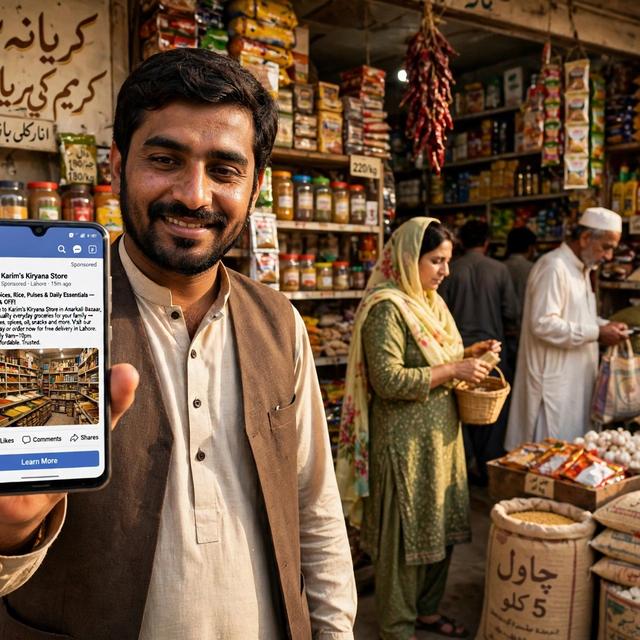
Facebook Ads for Small Business Pakistan
By Shayan Tayyab10 min readSEO
Facebook ads for small business Pakistan: how to run ads that bring WhatsApp messages, calls, and orders, without wasting money on the wrong audience or the wrong goal.
Facebook ads for small business Pakistan: how to run ads that bring WhatsApp messages, calls, and orders, without wasting money on the wrong audience or the wrong goal.