
Google Business Profile Photos in Pakistan
Google Business Profile photos Pakistan guide: which photos to upload, how to take them on a phone, and how to keep your Maps listing looking trustworthy.
On this page (15) +
Google Business Profile photos Pakistan listings are often the first thing a customer sees before they ever visit your shop, clinic, salon, or restaurant. When someone searches for a business near them, the photos on Google Maps and Search help them decide in seconds whether the place looks open, clean, professional, and worth visiting. A listing with no photos, or only one dark blurry photo, quietly loses customers to the competitor next door whose listing looks alive.
This guide is for business owners across Pakistan: shopkeepers in Lahore, clinic owners in Karachi, salon owners in Islamabad, restaurant owners in Rawalpindi, and anyone whose customers find them on Google. You do not need a professional photographer or an expensive camera. A phone, daylight, and a little planning are enough to build a photo set that earns trust.
Google Business Profile photos Pakistan: what customers look for first
Before a customer calls or visits, they scan your photos for answers to simple questions. Does this place look real? Is it open? Is it clean? Does it look like the kind of place I want to spend money at? Photos answer those questions faster than any description can, because most people decide with their eyes first and read the details later.
Customers usually look for the outside of your business first, so they can recognise it when they arrive. Then they look inside: the seating, the shelves, the treatment rooms, the work itself. Finally, they look for people: the team, the owner, the work in progress. A listing that shows all three feels like a real, working business. A listing that shows only a logo feels like a placeholder.
What photos every business needs
Start with a core set, then add more over time. You do not need fifty photos on day one. You need the right ten or so, taken well, covering the basics.
- Logo: your business logo, clear and simple, so customers recognise your brand.
- Cover photo: the single image that best represents your business, usually your storefront or your team at work. Note that choosing a cover photo does not guarantee Google shows it first, but it is still the photo you want to lead with.
- Exterior: the front of your shop or building, taken from the street, with your signboard visible. This helps customers find you.
- Interior: two or three shots of the inside: the seating area, the counter, the treatment room, or the shelves. Show the space as customers will actually find it.
- Team at work: your staff doing real work, not posing stiffly. A barber cutting hair, a tailor measuring cloth, a dentist with a patient who has agreed to be photographed.
- Products or results: the food you serve, the clothes you stitch, the furniture you sell, or before-and-after results where that makes sense for your trade.
- Menu, price list, or services board: only if it is current and readable. An out-of-date menu photo creates more confusion than no photo at all.
How to take good photos with just a phone
You do not need special equipment, but a few habits make a big difference. First, use daylight. Stand so the light falls on your subject, not behind it, because a bright window or door behind your subject turns everything else dark. Morning light is usually softer and kinder than harsh midday sun, and for outdoor shots, an overcast day can actually be ideal.
How to upload Google Business Profile photos step by step
Your Business Profile must be verified before your photos show on Google, so if your photos sit at pending, verification is the first thing to check. Once verified, uploading is simple, and you can do it from a computer or a phone.
- Sign in to the Google account that manages your Business Profile.
- Open Google Search or Google Maps and search for your business name and city.
- Select Photos, then Add photos for general photos, or Add a cover photo or Add a logo for those specific types.
- Choose one or several photos from your device and select Open.
- Wait for Google to process them. New photos usually appear within a day or two, and your newest media appears first on your profile.
Google's photo guidelines ask for JPG or PNG files between 10 KB and 5 MB, with 720 by 720 pixels recommended and 250 by 250 pixels as the minimum. In practice, photos straight from a modern phone are usually well within these limits. If a photo is rejected, check the file size and format first, then check that it is not a duplicate of a photo already on your listing.
| Photo type | What it should show | Common mistake |
|---|---|---|
| Logo | Your brand mark, clear on a plain background | A blurry photo of a signboard used as the logo |
| Cover photo | Your storefront or team at work | A stock photo that is not your business at all |
| Exterior | The shop front with signboard visible | A photo taken at night where nothing is readable |
| Interior | Clean, lit, real working space | A cluttered back room customers never see |
| Team and work | Real staff doing real work | Posed photos with no connection to the job |
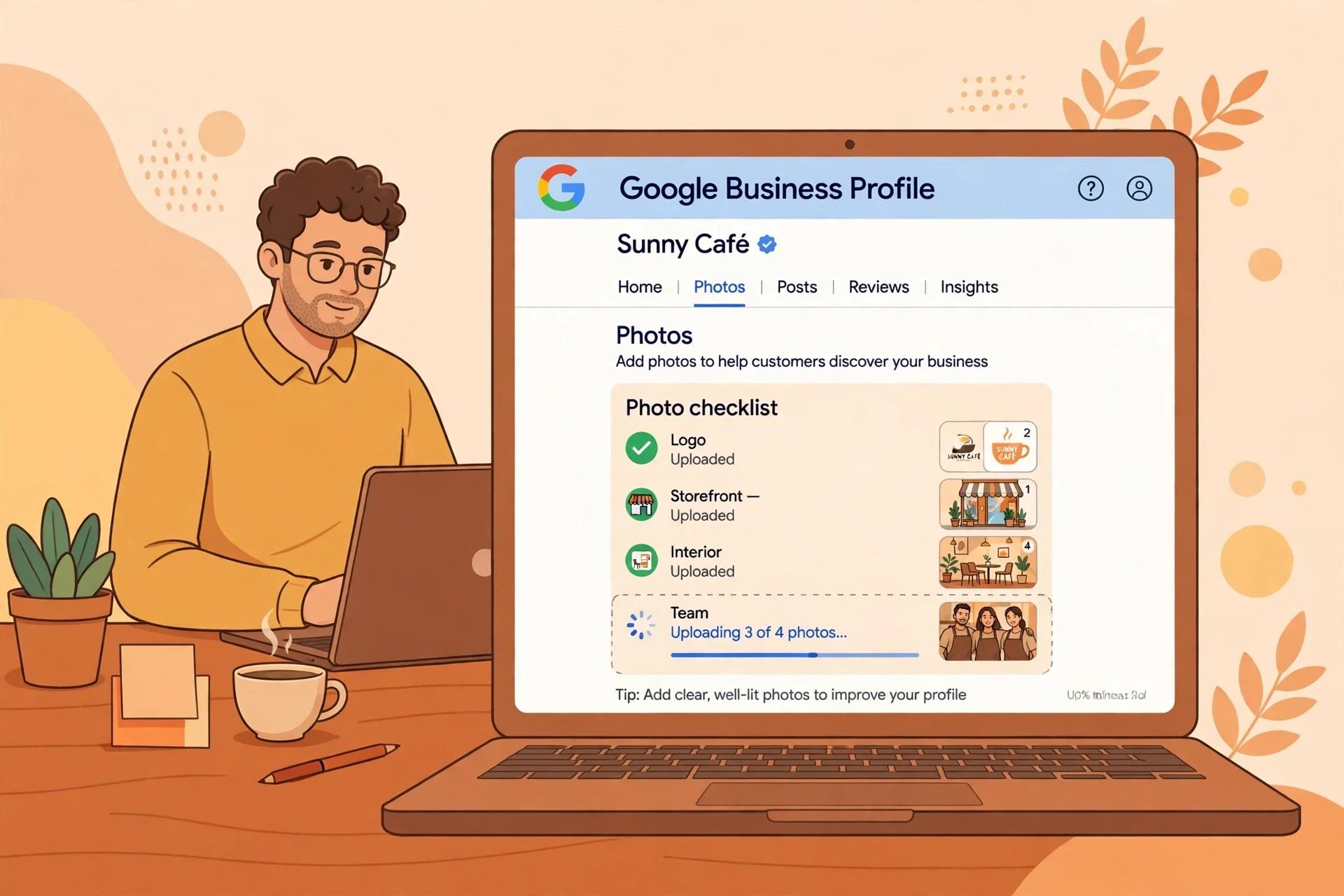
Google Business Profile photos Pakistan: the upload checklist
Before you press upload, run through this short checklist. It takes a minute, and it stops the most common mistakes.
- The photo is sharp, well lit, and in focus when you zoom in.
- The signboard, product, or room is clearly visible, not cut off at the edge.
- No heavy filters, no text stamped across the image, no stock photos.
- The photo shows your real business, as it looks today, not years ago.
- You have permission from any customer or staff member clearly visible in it.
- The photo is a JPG or PNG, within Google's size limits.
- You have picked the right type: logo, cover, exterior, interior, or general photo.
- The photo matches the season and the services you offer right now.
Photos to avoid on your listing
Some photos hurt more than they help. Stock photos are the biggest offender: customers can usually tell, and a stock photo of a shop that is not yours breaks trust the moment they visit and see something different. Blurry, dark, or sideways photos are next. If you would not print a photo and hang it in your shop, do not upload it to Google.
Avoid photos with heavy text, offers, or phone numbers baked into the image. That information belongs in your profile fields, where customers can tap it, not inside a photo they cannot copy or click. Avoid screenshots, memes, and promotional graphics as listing photos. They belong on social media, not on your Google profile.
How often should you add new photos
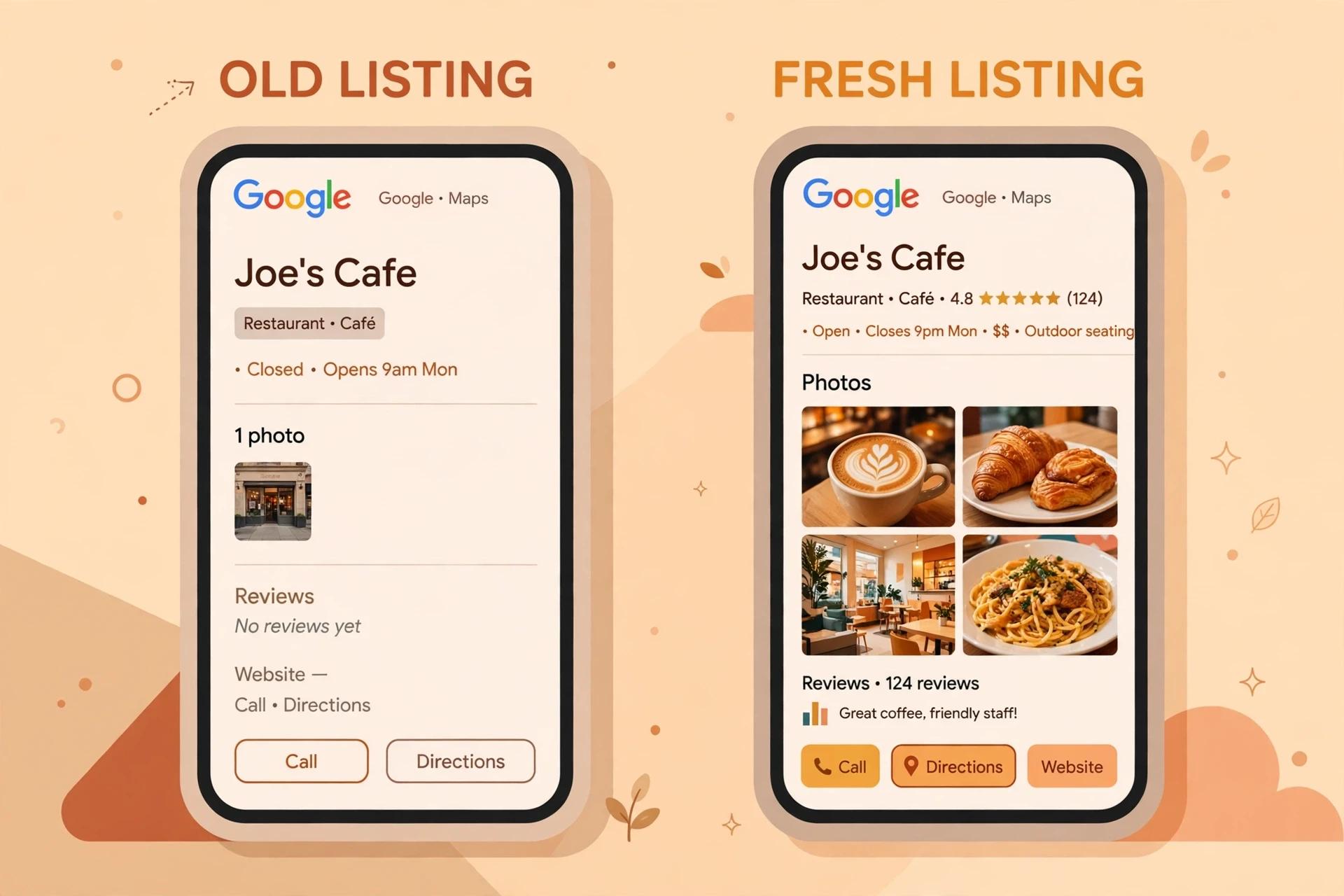
Photos are not a one-time job. Businesses change: you renovate, you add a new service, the seasons change, your menu changes. A listing whose newest photo is three years old quietly tells customers that nothing has changed, or worse, that the business may have closed. Fresh photos tell the opposite story.
A simple rhythm works for most businesses. Add a few new photos every month: a new product, a completed job, a seasonal display, a team moment. Restaurants can add new dishes as the menu changes. Salons can add recent styles, with the customer's permission. Clinics can add new equipment or a renovated waiting area. Shops can add new stock as it arrives.
This is also where your wider online presence connects. Good photos taken for your Google listing can be reused on your website and in your SEO work, because the same images that convince a Maps visitor also convince a website visitor. If your website itself needs a refresh, a design update that uses your real photos will usually beat a redesign built on stock images.
What to do when Google or customers add photos
You are not the only one who can add photos to your listing. Customers can upload their own photos, and Google sometimes chooses a customer photo or another image as the first photo a visitor sees, even if you have set a cover photo. This is normal, and it is not always bad: genuine customer photos are strong social proof.
Frequently asked questions
Do I need a professional photographer for Google Business Profile photos?
No. A phone camera, daylight, and a tidy space are enough for most small businesses in Pakistan. A professional shoot can help for a big launch or renovation, but regular phone photos of real work usually build more trust than one polished shoot followed by years of silence.
How many photos should my Business Profile have?
Start with ten good photos covering your logo, cover, exterior, interior, team, and products. After that, add a few new photos each month rather than uploading fifty at once. A steady stream of fresh photos looks more alive than a single large upload that never gets updated.
Why are my photos not showing on Google?
The most common reason is that your profile is not verified yet, because photos on unverified profiles stay pending and do not appear on Search or Maps. Other causes include a file that breaks Google's size or format rules, a duplicate photo, or a photo still being processed, which can take a day or two.
Can customers add photos to my Business Profile?
Yes. Customers can upload photos to your listing, and Google may show a customer photo first even if you have set a cover photo. Check your photos regularly, leave good customer photos in place, and ask Google to remove any that are wrong, misleading, or against its rules.
Do photos help my business rank higher on Google Maps?
Photos alone do not guarantee a higher ranking, since ranking also depends on relevance, distance, and your overall reputation. But a complete listing with good photos, accurate information, and genuine reviews gives customers more reasons to choose you, and that extra engagement supports your visibility over time.
Google Business Profile photos Pakistan listings reward the businesses that treat photos as part of customer service, not as a one-time chore. Take ten good photos, upload them the right way, add a few fresh ones each month, and keep an eye on what customers add. That simple habit helps the next customer who finds you on Maps decide, with confidence, to visit, call, or message you.
If your listing, photos, or website need a proper once-over, message Lixber on WhatsApp or book a free call: https://www.lixber.com/#contact.
8. Images
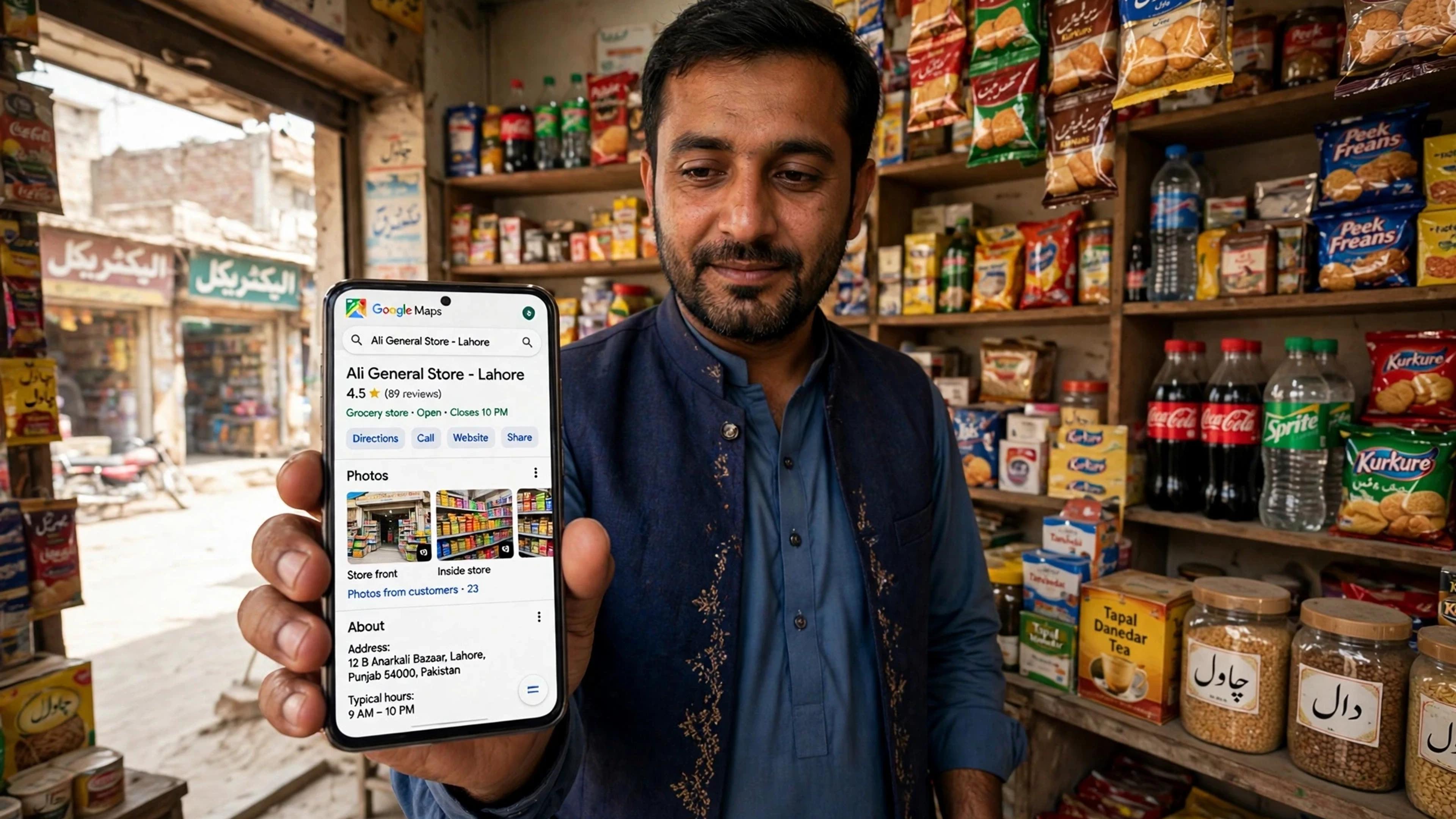
Cover: photorealistic scene, a Pakistani shop owner in a small Lahore shop holding a smartphone showing a Google Maps business listing with bright photos, shop shelves and warm daylight in the background. Alt text: "Google Business Profile photos Pakistan: a shop owner checking business photos on Google Maps". File: blog-pk-27/cover-google-business-profile-photos-pakistan.webp
Inline 1 (after the "How to upload Google Business Profile photos step by step" H2): clean flat illustration of a business owner uploading photos to a Google Business Profile on a laptop, showing a simple photo checklist, logo, storefront, interior and team photos, simple modern style, warm colours. Alt text: "Google Business Profile photos Pakistan upload checklist for a business owner". Caption: "Upload in order: logo, cover, exterior, interior, then team and work photos." File: blog-pk-27/inline1-photo-upload-checklist.webp
Inline 2 (after the "How often should you add new photos" H2): clean flat illustration comparing an old empty Google listing with one photo and a fresh listing full of bright business photos on two phones side by side, simple modern style, warm colours. Alt text: "Old empty Google listing versus fresh listing with business photos". Caption: "A few fresh photos each month keep your listing looking open, active, and trustworthy." File: blog-pk-27/inline2-old-vs-fresh-listing.webp
Want help with this?
Lixber can do it for you.
See how we handle seo for businesses in Pakistan, with a written plan and price after a free call.
Explore lixber.com/seo →Newsletter
One practical tip a week.
Plain-English advice for local businesses. No spam.
Written by
Rehan AliRehan Ali is a software engineer and co-founder of Lixber, a digital agency building websites, SEO and automation for service businesses.
Keep reading
All guides
Google Business Profile for Doctors in Pakistan
A Google Business Profile for doctors in Pakistan puts your clinic on Google Maps when patients search nearby. Setup, verification, reviews and ranking steps for clinics and doctors.
A Google Business Profile for doctors in Pakistan puts your clinic on Google Maps when patients search nearby. Setup, verification, reviews and ranking steps for clinics and doctors.
How to Recover a Lost Google Business Profile in Pakistan
Lost access to your Google Business Profile? This guide shows Pakistani business owners how to recover it step by step, from requesting access to appealing a suspension.
Lost access to your Google Business Profile? This guide shows Pakistani business owners how to recover it step by step, from requesting access to appealing a suspension.

Google Business Profile Verification Problems Pakistan
Google Business Profile verification problems in Pakistan usually mean a failed video, a postcard that never arrives, or a detail that does not match. Here is how to fix each one.
Google Business Profile verification problems in Pakistan usually mean a failed video, a postcard that never arrives, or a detail that does not match. Here is how to fix each one.