
Google Business Profile Posts Pakistan: A Simple Guide
Google Business Profile posts Pakistan: how to publish Updates, Offers and Events that customers actually see on Search and Maps, with post ideas, a weekly rhythm, and the mistakes that get posts rejected.
On this page (9) +
Google Business Profile posts in Pakistan are short updates that appear right on your business profile in Google Search and Google Maps. A customer searching for your salon, restaurant, clinic or shop sees your latest post before they ever open your website. Publishing them well is one of the cheapest ways to look active and trustworthy, and it costs nothing but a few minutes a week.
This guide explains the three post types, the steps to publish one, what to write, and the mistakes that get posts rejected. It assumes your profile is already claimed and verified. If it is not, fix that first, because only a verified profile can publish posts.
What Google Business Profile posts are and where customers see them
A Google Business Profile post is a short message from the owner, shown in the Updates section of the profile. It can carry a photo or short video, a few lines of text, and a button such as Book, Order online, Learn more, or Call now. When someone searches your business name or finds you on Maps, your most recent posts sit next to your reviews, photos, timings and phone number.
That placement is what makes posts valuable. A profile with a post from this week looks open and busy, while one whose last post is months old looks quiet, even if the business itself is doing well. Customers in Lahore, Karachi and Islamabad check Maps before visiting a new place, and a fresh post answers their first question: is this business still active?
Posts are not social media posts. They do not need hashtags or clever wording. They work best short, specific and useful: a new service, a seasonal offer, a timing change, or an event date. Think of each post as a notice on your shop door, read by thousands of people passing on Google.
Google Business Profile posts Pakistan: the three post types
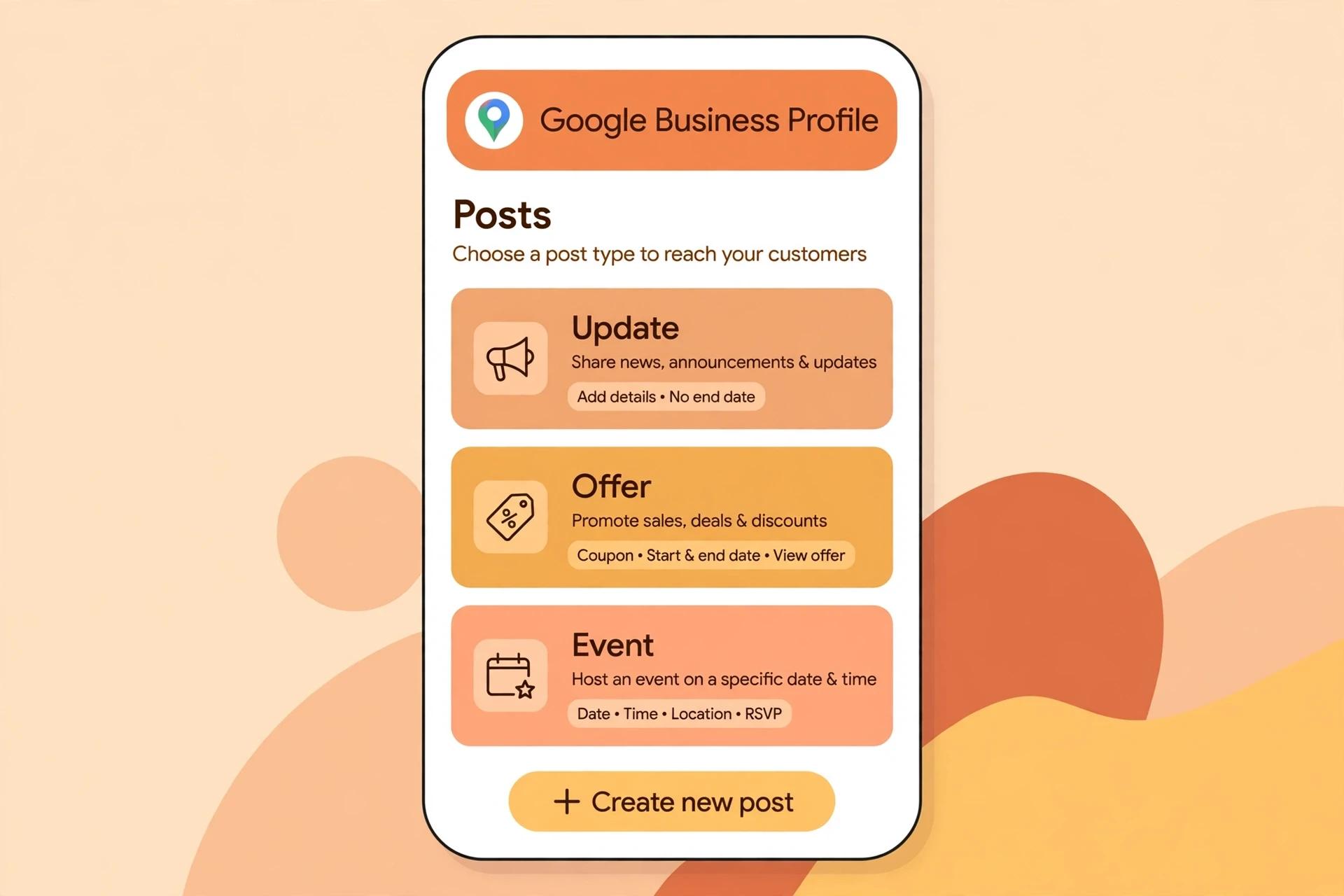
Google currently offers three post types for a Business Profile: Update, Offer and Event. Each shows different details to the customer, so choosing the right one matters.
| Post type | Best for | What it shows |
|---|---|---|
| Update | News, new arrivals, new services, tips, changed timings | Text, photo or video, and a call-to-action button |
| Offer | A promotion, discount or special deal | Title, offer details, start and end dates, and an optional coupon code or redemption link |
| Event | A workshop, launch, open day, sale event or class | Event name, start and end date and time, and event details |
An Update is your everyday post: a salon announcing a new treatment, or a restaurant adding a new dish. An Offer is only for a genuine promotion with dates, such as a Ramadan package. An Event is only for something on a specific date, such as a free dental camp or a wedding hall open day.
Picking the wrong type is a common beginner mistake. A discount posted as a plain Update hides the dates a customer needs, while a news item posted as an Offer confuses readers who expect a deal. Match the type to the message.
How to publish a Google Business Profile post in Pakistan: step by step
Publishing a post takes about five minutes once you know where the buttons are. Follow these steps.
- Sign in to the Google account that manages your profile. It needs owner or manager access, or the posting options will not appear.
- Open your Business Profile. Search your business name on Google while signed in, or open the profile in the Google Maps app.
- Choose Posts, then Add post. On mobile this may appear as Add update. Either way, it opens the post editor.
- Pick the post type. Choose Update, Offer or Event, matching the message as explained above.
- Write the post. Keep it short and specific: what is new, who it is for, and what the customer should do next. Add a clear photo of the real thing, not a stock image.
- Add the details for that type. For an Offer, add the title, dates and terms. For an Event, add the start and end date and time. Add a call-to-action button that matches the goal, such as Book or Learn more.
- Preview, then publish. Read it once as a customer would, check the photo, dates and button, then tap Post. Google reviews posts before they go live, so a post may show as pending for a short while.
If details change, edit the post rather than posting a correction, so customers always see the correct version.
What to write: post ideas for Pakistani businesses
Most businesses run out of ideas after their first two posts. The fix is to post about real things happening in the business, not to invent content. Here are ideas that work again and again.
- New arrivals and new services. A new menu item, treatment, product range or branch. Show a real photo and say when it is available.
- Seasonal posts. Ramadan timings and packages, Eid offers, wedding season bookings, and back-to-school promotions. Tie the post to a date customers already care about.
- Events and open days. A free camp, a launch or a workshop. Use the Event type so the date and time show clearly.
- Helpful updates. Changed timings for Eid or public holidays, a moved location, or a service that is temporarily closed. Customers trust a business that tells them before they travel.
- Proof of work. A completed project or a renovated shop, with a short line about what was done. Real photos beat polished graphics here.
- Answers to common questions. If five customers asked the same question this week, turn the answer into a post. It saves repeat calls and shows future customers you listen.
Write one clear point per post. A post announcing a new service, a discount and a timing change all at once gets read properly by nobody. Split them across the week.
A clear web presence supports your posts too, because the Learn more button usually sends customers to your website. If that page is outdated or missing the offer, the post's work is wasted.
A simple weekly rhythm that actually lasts
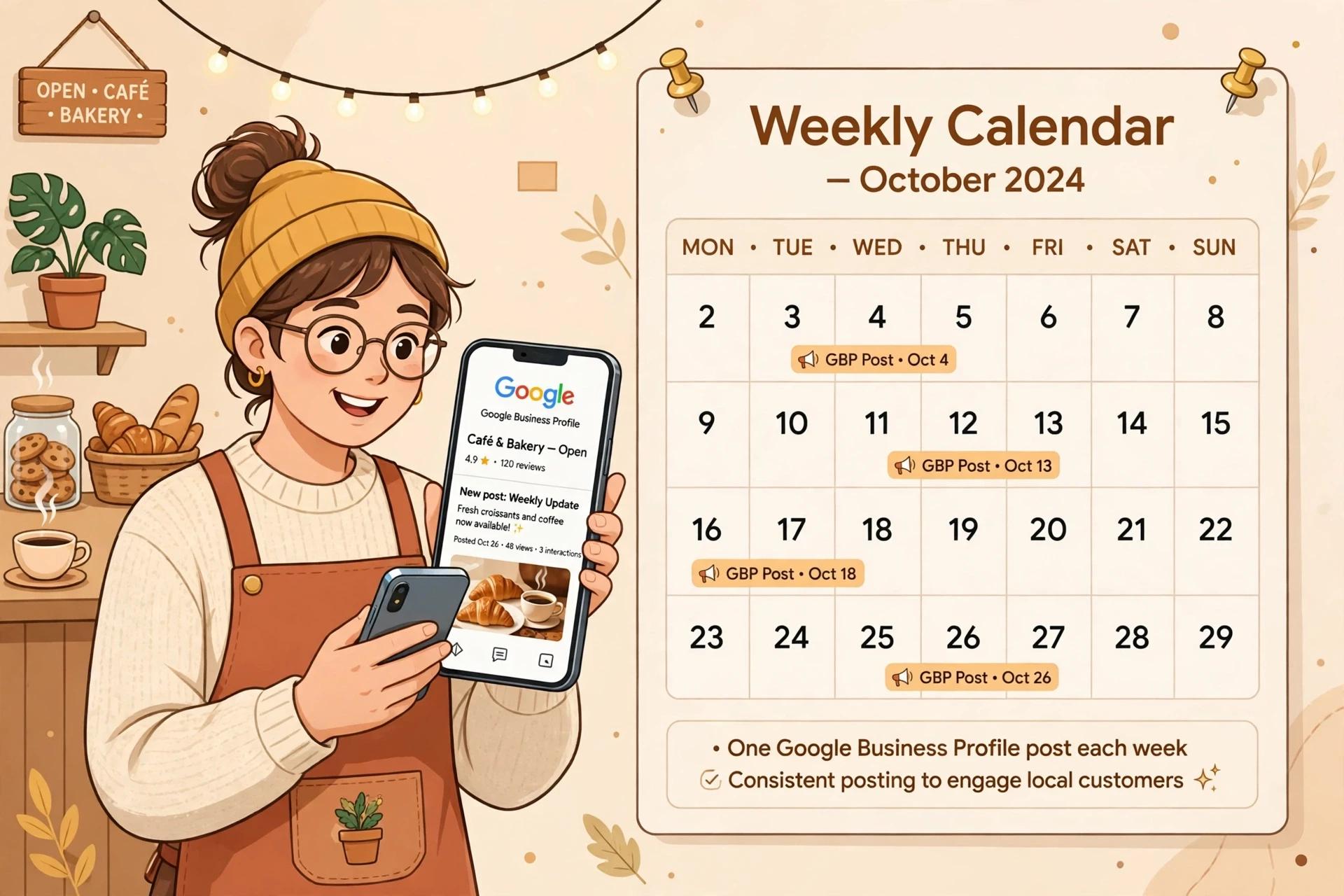
The businesses that benefit most are not the ones that post ten times in one week and then stop. They are the ones that post once a week, every week, for months. One post a week is enough for most small businesses, and a busy owner can actually keep it up.
A workable rhythm: one post each week, tied to something real. Week one, a new service. Week two, a seasonal offer or a common question answered. Week three, a behind-the-scenes photo. Week four, an event or timing update. Repeat that shape and you will never stare at a blank post editor again.
Put one person in charge, even in a small team. That person writes the post, picks the photo, and publishes it on the same day each week. When nobody owns the job, posting quietly stops after a month.
For businesses with several branches, post on each branch's own profile rather than copying the same post everywhere. Customers search by area, and a post about a Gulberg branch means little to someone looking in DHA.
Mistakes that get posts rejected or ignored
Google reviews posts against its content policies, and rejected posts simply never appear, often without explanation. Avoiding a few known mistakes keeps almost every post live.
First, do not put a phone number in the post text. Google may reject posts that include phone numbers, even though your number already shows on the profile. Use the Call now button instead. Second, do not post misleading claims or fake offers. An offer post must be a real offer with real dates. Third, do not copy the same post word for word across many profiles or repeat it daily. Duplicate posting looks like manipulation and can be filtered out.
Beyond rejection, there are mistakes that simply waste a post. A blurry photo, a post with no clear action, and vague marketing language all get scrolled past. Before publishing, ask: would a customer reading this know what is new, and what to do next? If not, rewrite it in one plain sentence.
Do Google Business Profile posts help you rank higher on Maps?
This is the question owners ask most, and the honest answer is careful. Posts on their own do not directly push you to the top of Maps results. Google ranks profiles mainly on relevance, distance and prominence, which come from your category, reviews, photos and complete information.
What posts do is support everything around ranking. A fresh, active profile gets more views, clicks, calls and direction requests, which signal a business people actually want. Posts also let you use the words customers search for, naturally, which helps Google understand what you offer.
Think of posts as part of your local SEO routine, not a shortcut. They work alongside reviews, accurate timings, real photos and a clean, mobile-friendly design on your website. If the routine feels like too much to run alone, Lixber's SEO team can handle it for you.
Frequently asked questions
How often should I post on my Google Business Profile in Pakistan? Once a week is a realistic rhythm for most small businesses. It keeps your profile looking active without turning posting into a burden. Seasonal businesses like wedding halls can post more often around peak season.
How long does a Google Business Profile post stay visible? Recent posts show first on your profile, and older posts get archived over time unless you set a date range, as with Offers and Events. That is why a steady weekly rhythm matters more than one big burst of posts.
Why was my Google Business Profile post rejected? The most common reasons are a phone number in the post text, misleading or fake offer details, or content that breaks Google's posting policies. Remove the phone number, use the Call now button instead, and make sure every offer and date is real.
Can I schedule Google Business Profile posts in advance? Yes. The post editor lets you schedule a post for a later date, and Offers and Events can be set to repeat. Scheduling a month of weekly posts in one sitting is the easiest way to keep the rhythm going during busy weeks.
Do I need a website to use Google Business Profile posts? No, you can publish posts without a website, using buttons like Call now or Order online where they fit. But a Learn more button needs somewhere useful to send people, so a simple, current website turns profile views into real enquiries.
Google Business Profile posts Pakistan work best when they are simple, honest and regular: one real update a week, the right post type, a real photo, and a clear next step. Start with your next genuine piece of news, publish it today, and build the weekly habit from there. Message Lixber on WhatsApp or book a free call: https://www.lixber.com/#contact
8. Images
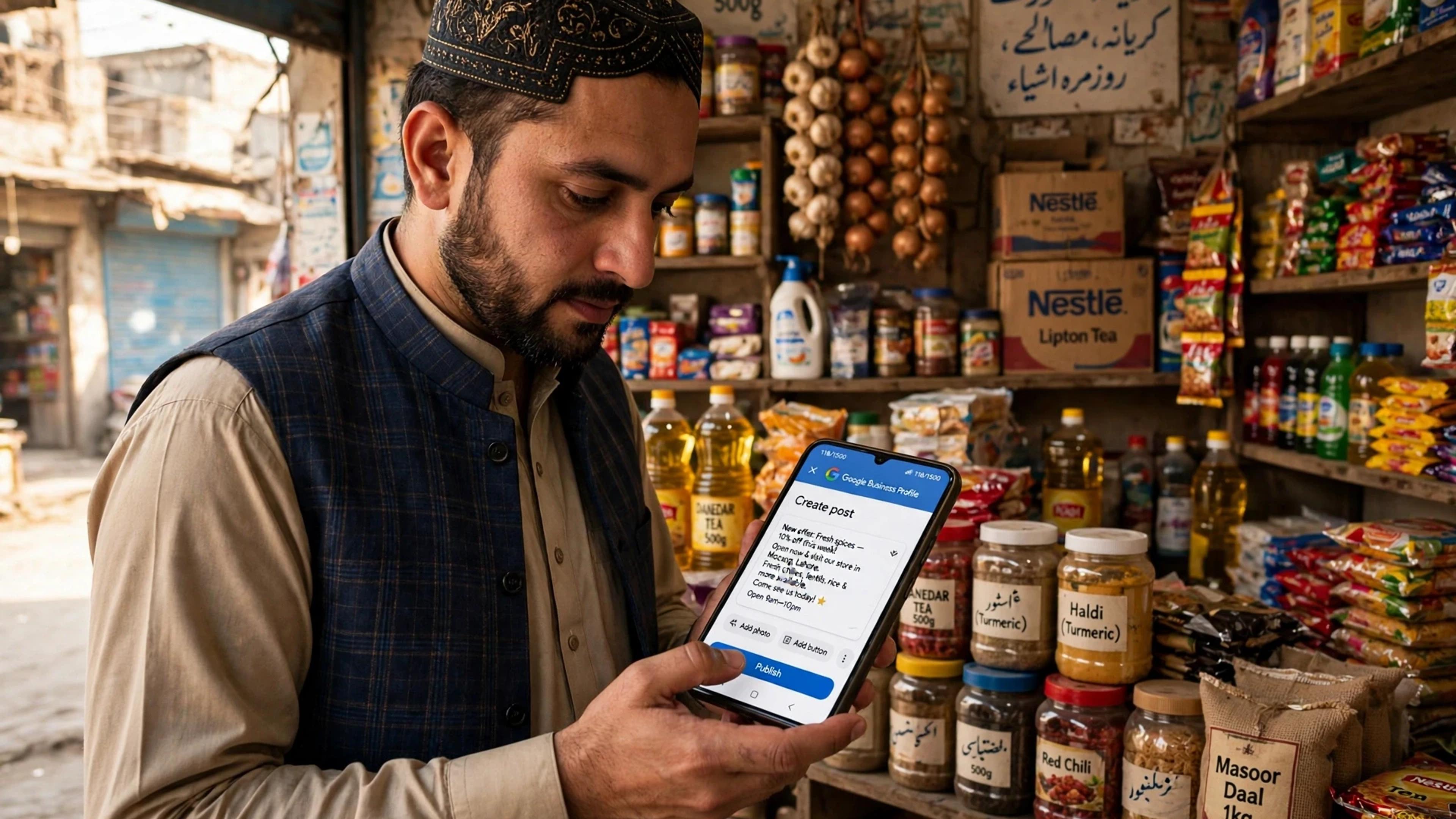
Cover: photorealistic scene, a Pakistani shop owner in a small Lahore shop publishing a post on a smartphone showing a Google Business Profile screen, shop shelves and warm daylight in the background. Alt text: "Google Business Profile posts Pakistan: a business owner publishing a post on a phone". File: blog-pk-22/cover-google-business-profile-posts-pakistan.webp
Inline 1 (after the "Google Business Profile posts Pakistan: the three post types" H2): clean flat illustration of a smartphone showing three Google Business Profile post types, Update, Offer and Event, as three cards, simple modern style, warm colours. Alt text: "The three Google Business Profile post types: Update, Offer and Event". Caption: "Update for news, Offer for promotions, Event for dated occasions: pick the type that matches the message." File: blog-pk-22/inline1-three-post-types.webp
Inline 2 (after the "A simple weekly rhythm that actually lasts" H2): clean flat illustration of a weekly calendar with one Google Business Profile post marked each week, a small shop owner checking it on a phone, simple modern style, warm colours. Alt text: "A weekly Google Business Profile posting calendar for a small business". Caption: "One post a week, every week, keeps a profile looking active far longer than a one-week burst." File: blog-pk-22/inline2-weekly-posting-rhythm.webp
Want help with this?
Lixber can do it for you.
See how we handle seo for businesses in Pakistan, with a written plan and price after a free call.
Explore lixber.com/seo →Newsletter
One practical tip a week.
Plain-English advice for local businesses. No spam.
Written by
Rehan AliRehan Ali is a software engineer and co-founder of Lixber, a digital agency building websites, SEO and automation for service businesses.
Keep reading
All guides
Google Business Profile for Doctors in Pakistan
A Google Business Profile for doctors in Pakistan puts your clinic on Google Maps when patients search nearby. Setup, verification, reviews and ranking steps for clinics and doctors.
A Google Business Profile for doctors in Pakistan puts your clinic on Google Maps when patients search nearby. Setup, verification, reviews and ranking steps for clinics and doctors.
How to Recover a Lost Google Business Profile in Pakistan
Lost access to your Google Business Profile? This guide shows Pakistani business owners how to recover it step by step, from requesting access to appealing a suspension.
Lost access to your Google Business Profile? This guide shows Pakistani business owners how to recover it step by step, from requesting access to appealing a suspension.

Google Business Profile Verification Problems Pakistan
Google Business Profile verification problems in Pakistan usually mean a failed video, a postcard that never arrives, or a detail that does not match. Here is how to fix each one.
Google Business Profile verification problems in Pakistan usually mean a failed video, a postcard that never arrives, or a detail that does not match. Here is how to fix each one.