
How to Get Reviews on Facebook Page Pakistan
How to get reviews on Facebook page Pakistan: turn on Recommendations, share your review link, ask at the right moment, and reply to every recommendation so new customers trust you.
On this page (9) +
Learning how to get reviews on Facebook page Pakistan starts with one simple fact: most customers will never leave a review unless you make it easy and ask at the right moment. Facebook now calls page reviews Recommendations. A customer answers whether they recommend your business, and can add a short note about why. Those recommendations sit on your page for every future customer to read, and they shape the first impression before anyone calls, messages, or visits.
This guide covers how to switch Recommendations on, how to find and share your review link, when to ask, what to say, and how to reply. It is written for small businesses in Pakistan: salons, restaurants, clinics, shops, schools, wedding halls, and home-based sellers who take orders on Facebook and WhatsApp.
How to get reviews on Facebook page Pakistan: turn Recommendations on first
Before you ask anyone, check that your page can actually receive recommendations. Facebook now uses the name Recommendations for what many owners still call reviews, and the setting can be off without you noticing. If it is off, customers who try to recommend you will not find the option, and your request will lead nowhere.
To check, switch into your business page, open Settings, and search for Recommendations. Turn the option on and save. Menu names change as Meta updates pages, so if you cannot find it under one heading, use the search inside Settings. Once it is on, open your page as a visitor would and confirm the Reviews or Recommendations section is visible.
If you run more than one branch, check each page separately. A recommendation left on your Gulberg page does not show on your DHA page. Keep the setting on for every branch, and do not switch it off after one bad recommendation: a page with no recommendations looks riskier than one with mostly good ones and one honest complaint handled well.
Find and share your Facebook review link
The biggest reason customers do not leave a review is friction. If they have to search for your page, find the right tab, and work out where to tap, most will give up. A direct link removes all of that. Open your page, go to the Reviews or Recommendations section, and copy the web address shown there. That link takes a customer straight to the place where they can recommend you.
Save that link somewhere you can reach it in seconds: in your phone notes, or in a short template your team can reuse. Test it yourself before you send it to customers. A broken link wastes the one moment a happy customer was willing to help.
Put the link in more places than a single message: your WhatsApp quick reply, the thank-you message after an order, and your website's contact page. A clean, simple web design with a visible "Recommend us on Facebook" button turns website visitors into reviewers without extra effort. Wherever a happy customer already talks to you, the link should be one tap away.
When to ask: the right moment matters more than the message
Timing decides whether a request feels helpful or annoying. Ask too early and the customer has nothing real to say. Ask too late and the feeling has faded. The best moment is right after a good experience, while the customer is still happy.
For a salon, that is just after the service. For a restaurant, it is after the meal, when the bill is paid. For an online seller, it is the day the parcel arrives and the customer confirms they are happy, not the day it was dispatched.
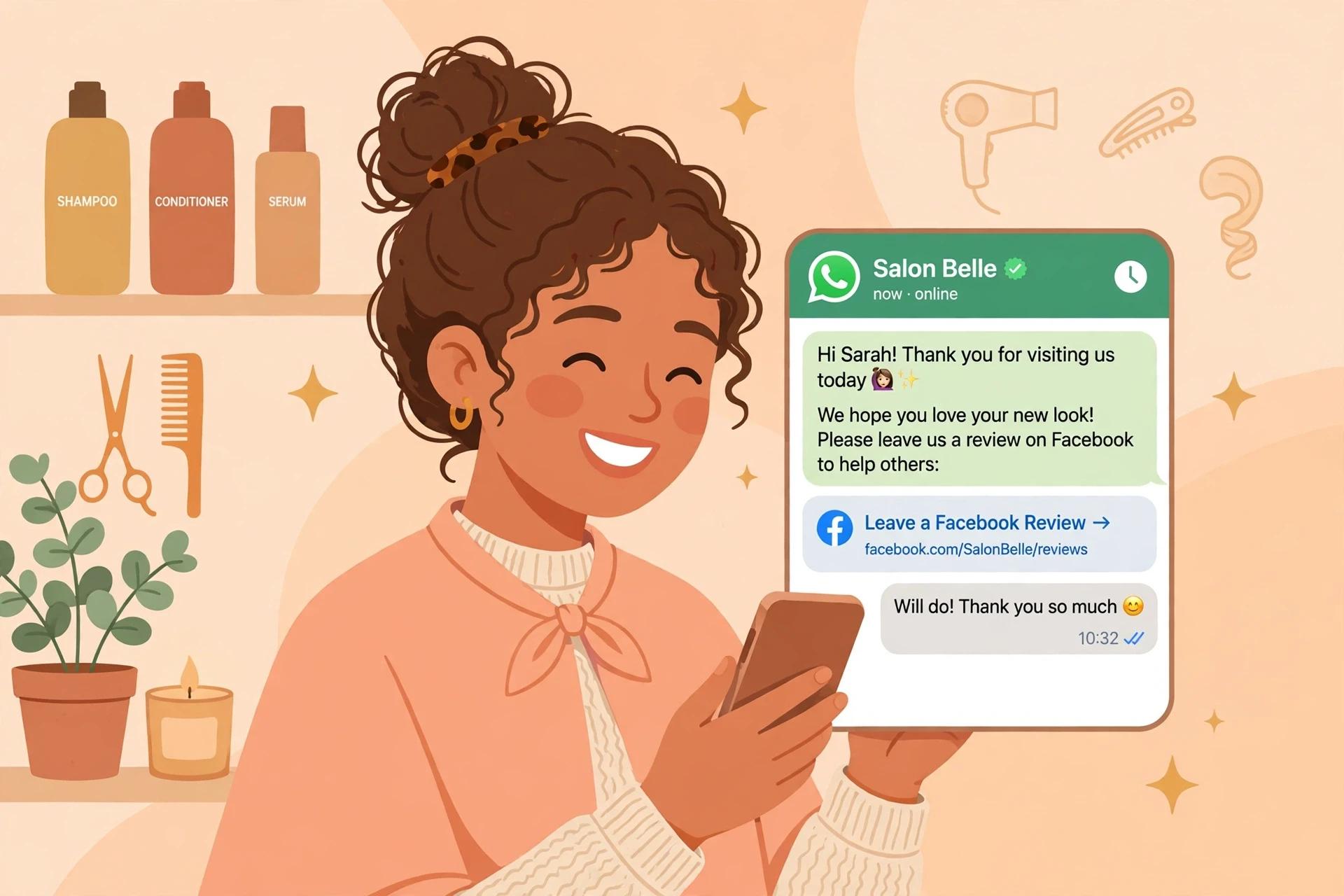
WhatsApp works best for most Pakistani businesses, because customers open it far more than email. Send one short message on the same day, with the direct link, asking for an honest recommendation. One message is enough. Do not chase them again about the same visit: repeated reminders turn a friendly request into pressure.
What to say: short scripts that actually get replies
Keep the request short, specific, and honest. Mention what they bought or used, so the message feels personal. A recommendation that says "great haircut, quick service, clean salon" helps a future customer far more than one that just says "good".
Here are scripts you can copy and adjust. Keep them in your own voice, and change the detail for each customer.
- After a salon visit: "Thank you for visiting today. If you liked your haircut, would you please recommend us on Facebook? Here is the link: [link]. It takes less than a minute, and it really helps us."
- After a restaurant meal: "Thank you for eating with us today. If you enjoyed your meal, a Facebook recommendation would mean a lot. Here is the link: [link]."
- After a delivery: "Your order has arrived. If you are happy with it, would you please recommend us on Facebook? Here is the link: [link]. Thank you."
- In Roman Urdu, where it fits your customers: "Agar aap ko hamari service pasand aayi ho to please Facebook par recommend kar dein. Link ye raha: [link]. Bohat shukriya."
Ask for an honest recommendation, never for a guaranteed positive note. Customers who feel free to be honest write more believable recommendations. If a customer had a mixed experience, listen first and fix what you can.
Reply to every Facebook recommendation, good and bad
Getting the recommendation is only half the job. Replying to it turns one customer's words into trust for the next hundred readers. A page where the owner replies looks alive; a page with recommendations and no replies looks like nobody is home.
For a positive recommendation, reply within a day or two. Thank the person by name, mention something specific they said, and invite them back. "Thank you, Ayesha, glad you liked the facial and the quick service. See you next time." Short, specific replies beat long generic thank-yous.
For a negative recommendation, stay calm and reply briefly in public, then move the details to a private conversation. Thank them, acknowledge the specific problem, say what you are doing about it, and invite them to call you directly. Never argue, accuse the reviewer of lying, or share private details in public. If a recommendation breaks Facebook's rules, such as spam or abuse, reply politely, report it through the page tools, and wait for Facebook's decision.
How to get reviews on Facebook page Pakistan: what not to do
Shortcuts around reviews always backfire, and on Facebook they can cost you the page itself. Never buy recommendations, never ask friends, family, or staff to pose as customers, and never offer a discount, freebie, or prize in exchange for one. Facebook treats incentivised and fake recommendations as a rule break, and readers can usually spot a sudden burst of identical praise.
Do not send the link to people who never bought from you, argue with a negative recommendation in public, or hide honest criticism just because it stings. A page with only perfect recommendations looks staged. A page with mostly good ones, a few honest complaints, and calm replies looks like a real business.
| Mistake | Why it hurts |
|---|---|
| Buying or faking recommendations | Removed by Facebook, and can put your page at risk |
| Offering a discount for a recommendation | Breaks Facebook's rules on incentivised feedback |
| Asking non-customers to recommend you | Readers spot it, and it weakens trust in the real ones |
| Arguing with a negative recommendation in public | Future customers judge your tone, not just the complaint |
| Switching Recommendations off after one bad review | Hides all your good feedback and looks like you have something to hide |
A simple weekly routine that keeps recommendations coming
You do not need a big campaign. You need a small habit, repeated every week, owned by one person on your team. Without an owner, the habit quietly stops after a month.
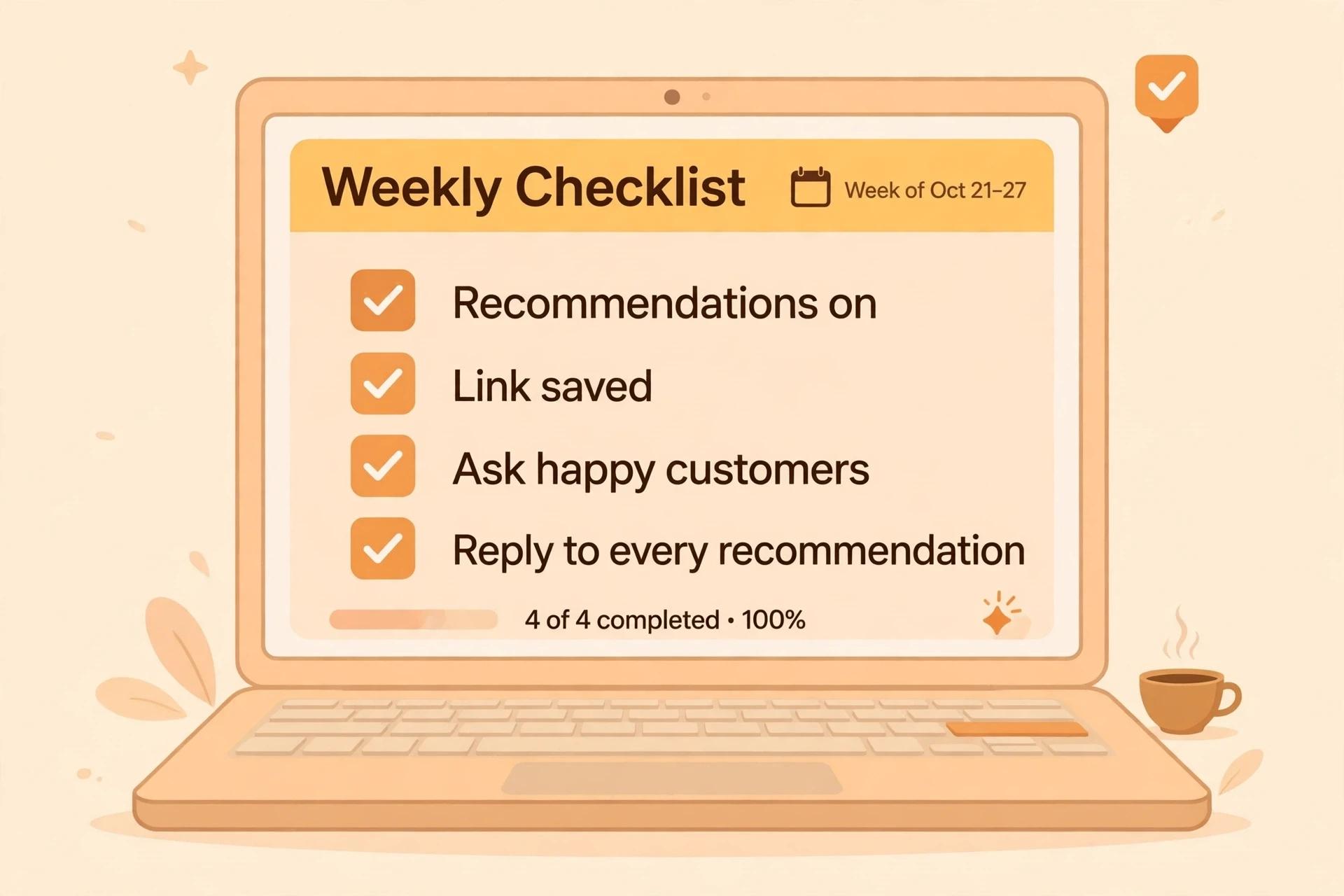
Week 1: Fix the setup. Turn Recommendations on, find your direct link, test it, and save it in a template your team can reuse. Add it to your WhatsApp quick replies and your website.
Week 2: Start asking. Ask every happy customer on the day of their visit or delivery, in person first and by WhatsApp second. Aim for consistency: every happy customer, every time, one short message.
Week 3: Reply and share. Reply to every new recommendation by name, and share a genuine one as a post or story so other customers see real people recommend you.
Week 4: Review and repeat. Check which requests got replies. If in-person asks work better than messages alone, do more of those. If one branch is quiet, check its page setting and link again. Then repeat.
That routine supports everything else you do online. Facebook recommendations, Google reviews, and a fast, mobile-friendly design on your website all tell the same story: a real business with real, happy customers. If running it feels like too much alongside daily work, Lixber's SEO team can help you set it up and keep it going.
Frequently asked questions
How do I turn on reviews on my Facebook page in Pakistan? Switch into your business page, open Settings, search for Recommendations, and turn the option on. Facebook now calls page reviews Recommendations, so look for that name if you cannot find a Reviews switch, and check the page as a visitor to confirm the section is visible.
Where is my Facebook page review link? Open your page, go to the Reviews or Recommendations section, and copy the web address shown there. That link takes a customer straight to the recommendation form. Test it on your own phone before sending it, and save it in a WhatsApp quick reply for easy reuse.
How many Facebook recommendations do I need? There is no fixed number that guarantees results. A steady flow of recent, genuine recommendations matters more than a large old total, because customers trust a page that is still earning praise this month. Start with your first ten, then keep asking after every happy customer.
Should I reply to Facebook recommendations? Yes, reply to every one, good and bad, within a day or two. A short, specific thank-you shows a real person runs the business, and a calm reply to a complaint shows future customers even more. Never argue in public, and move the details of a complaint to a private call or message.
Can I offer a discount for a Facebook recommendation? No, do not offer discounts, freebies, or prizes in exchange for a recommendation. Facebook treats incentivised feedback as a rule break, and readers treat it as bought praise. Ask for an honest recommendation, fix genuine complaints, and let the good feedback come from real experiences.
Learning how to get reviews on Facebook page Pakistan comes down to a simple habit: switch Recommendations on, share a direct link, ask happy customers on the same day, and reply to every recommendation with a short, human message. Do that week after week, and your Facebook page becomes proof that real customers trust you, which is exactly what the next customer is looking for before they enquire. Message Lixber on WhatsApp or book a free call: https://www.lixber.com/#contact
8. Images
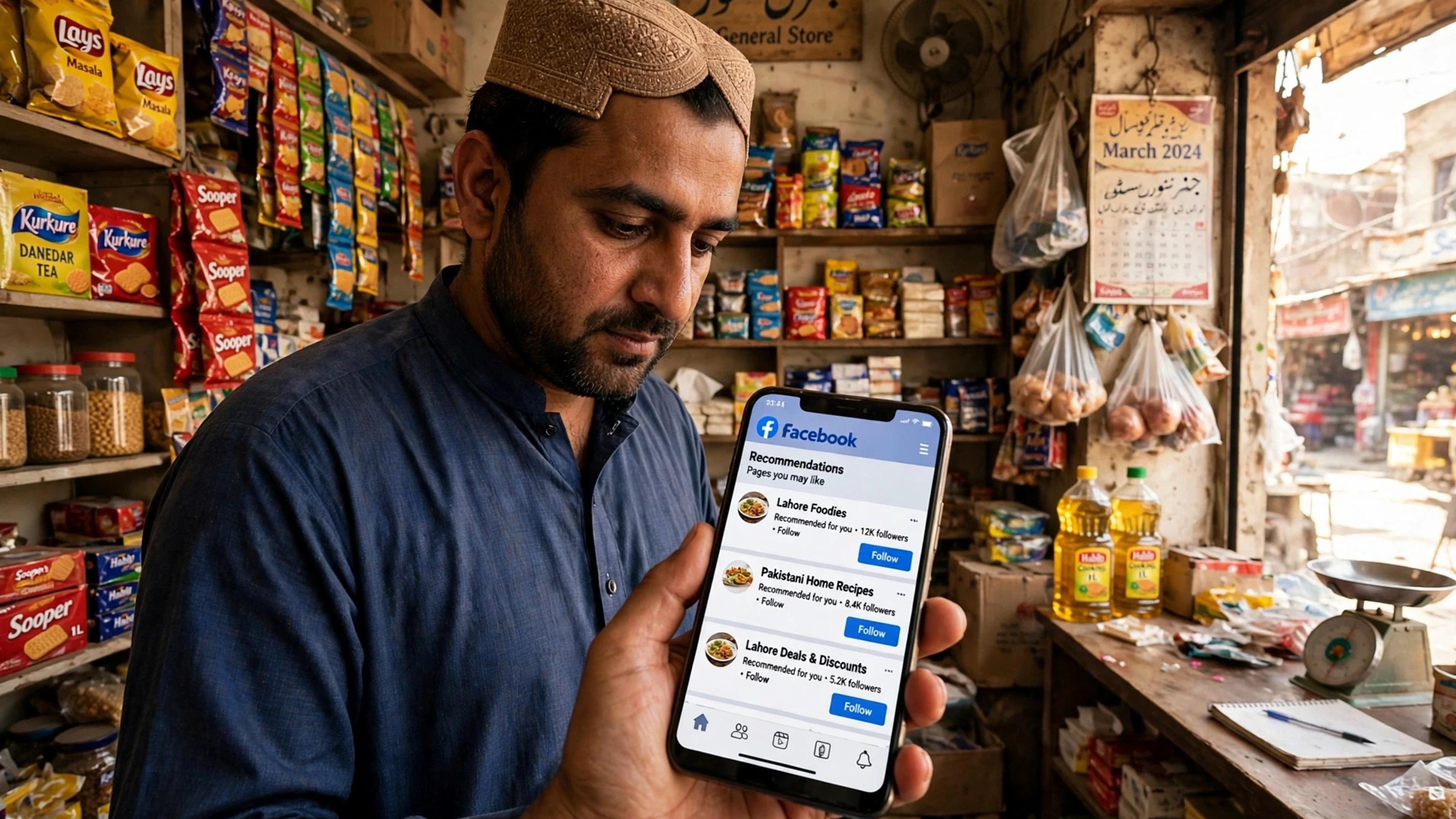
Cover: photorealistic scene, a Pakistani shop owner in a small Lahore shop holding a smartphone showing a Facebook page recommendations screen, shop shelves and warm daylight in the background. Alt text: "How to get reviews on Facebook page Pakistan: a business owner checking Facebook recommendations on a phone". File: blog-pk-24/cover-facebook-page-reviews-pakistan.webp
Inline 1 (after the "When to ask: the right moment matters more than the message" H2): clean flat illustration of a happy customer receiving a WhatsApp message with a Facebook review link on a phone just after a salon service, simple modern style, warm colours. Alt text: "Asking a happy customer for a Facebook recommendation at the right moment". Caption: "Ask on the same day, while the good experience is still fresh, and send the direct link." File: blog-pk-24/inline1-ask-at-right-moment.webp
Inline 2 (after the "A simple weekly routine that keeps recommendations coming" H2): clean flat illustration of a weekly checklist on a laptop, Recommendations on, link saved, ask happy customers, reply to every recommendation, simple modern style, warm colours. Alt text: "How to get reviews on Facebook page Pakistan: a weekly routine checklist". Caption: "One owner, one short routine, repeated weekly, builds recommendations steadily." File: blog-pk-24/inline2-weekly-reviews-routine.webp
Want help with this?
Lixber can do it for you.
See how we handle seo for businesses in Pakistan, with a written plan and price after a free call.
Explore lixber.com/seo →Newsletter
One practical tip a week.
Plain-English advice for local businesses. No spam.
Written by
Rehan AliRehan Ali is a software engineer and co-founder of Lixber, a digital agency building websites, SEO and automation for service businesses.
Keep reading
All guides
Google Business Profile for Doctors in Pakistan
A Google Business Profile for doctors in Pakistan puts your clinic on Google Maps when patients search nearby. Setup, verification, reviews and ranking steps for clinics and doctors.
A Google Business Profile for doctors in Pakistan puts your clinic on Google Maps when patients search nearby. Setup, verification, reviews and ranking steps for clinics and doctors.

How to Recover a Lost Google Business Profile in Pakistan
Lost access to your Google Business Profile? This guide shows Pakistani business owners how to recover it step by step, from requesting access to appealing a suspension.
Lost access to your Google Business Profile? This guide shows Pakistani business owners how to recover it step by step, from requesting access to appealing a suspension.

Google Business Profile Verification Problems Pakistan
Google Business Profile verification problems in Pakistan usually mean a failed video, a postcard that never arrives, or a detail that does not match. Here is how to fix each one.
Google Business Profile verification problems in Pakistan usually mean a failed video, a postcard that never arrives, or a detail that does not match. Here is how to fix each one.