
How to Reply to Negative Google Reviews in Pakistan
How to reply to negative Google reviews in Pakistan: a calm 4-part formula, copy-ready reply examples for the complaints local businesses get most, and what never to write in public.
On this page (8) +
Learning how to reply to negative Google reviews in Pakistan is one of the most useful skills a local business owner can pick up. A single one-star review sits near the top of your Google Maps profile, and every future customer reads it before they call or visit. Your reply sits right underneath it, and it is read just as closely. A calm, specific reply can turn a complaint into proof that you care, while silence or an angry answer can quietly cost you customers you never meet.
This guide gives you a simple reply formula, examples for the complaints Pakistani businesses hear most, and the rules for fake or abusive reviews. It works for any small business with a Google Business Profile. You do not need perfect English. You need to be quick, specific and human.
Why your reply matters more than the review itself
Most customers do not expect a perfect business. They expect an honest one. When someone in Lahore, Karachi or Islamabad searches for a service near them, they read a few reviews, especially the bad ones. What they are really judging is not the complaint, but how the owner handled it.
A business with a few bad reviews and thoughtful replies looks more trustworthy than one with only five-star reviews and no replies. Replies show a real person is behind the counter and problems get fixed. They also help your Maps ranking, which brings more calls and walk-ins.
Silence sends its own message. A one-star review with no reply for months looks like a business that does not care, even if the complaint was unfair. A reply within a day or two tells the next customer that if something goes wrong for them, they will be heard too.
How to reply to negative Google reviews in Pakistan: the 4-part formula
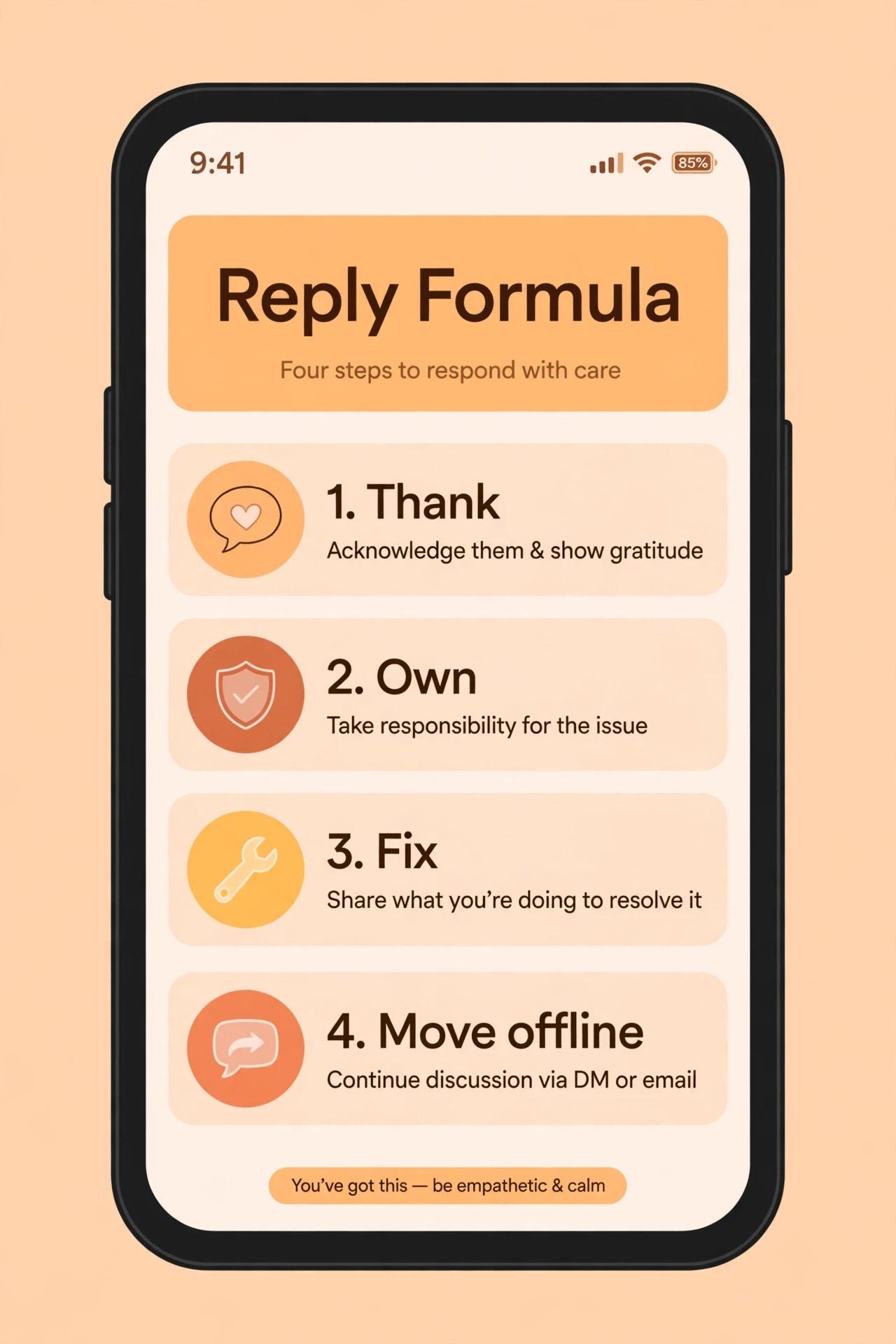
Most good replies are three to five sentences and follow the same four parts. Use this formula every time, adjusting the details to fit the complaint.
- Thank them by name and acknowledge the complaint. Use the name shown on the review. Thank them, and name the specific problem in their own words. A generic "sorry for the inconvenience" reads like a copy-paste template. A specific line like "thank you for telling us about the long wait on Saturday" shows you actually read it.
- Own what was yours, briefly. If your business made a mistake, say so plainly and apologise for that one thing. Do not take blame for things outside your control, and do not explain at length. One honest sentence beats three defensive paragraphs.
- Say what you changed or what you will do. This is the most useful sentence for future customers. "We have added a second person at the counter on weekends" shows the complaint led to a real fix. If you have not fixed it yet, say what you are doing about it now.
- Move the conversation offline and sign off. Give a direct phone or WhatsApp number and invite them to call you. Sign off with your name or role, such as "Ahmed, Store Manager". Never debate facts, share private details, or offer a discount or freebie in exchange for changing the review. Google does not allow incentives for reviews.
Reply examples for the complaints Pakistani businesses get most
The table below covers the complaints local businesses hear again and again. Copy the shape, change the details, and keep your own voice. Never paste the exact same reply under every review: customers notice, and identical replies look robotic.
| Complaint | Reply shape |
|---|---|
| Long wait, no apology | Thank them, apologise for the wait, say what changed, invite a direct call. |
| Rude staff | Apologise for how they were spoken to, say you have spoken to the team, invite a call. |
| Wrong order, wrong bill, or overcharging | Apologise for the specific error, say how you will fix it, move details to a call. |
| Quality not as expected | Thank them, acknowledge the specific point, say what you are doing differently. |
| One star with no text | A one-line thank you and an invitation to call. Short is fine here. |
Here is one full example. "Ayesha, thank you for telling us, and I am sorry you waited 40 minutes on Saturday. That is not the service we want to give. We have added a second person at the counter on weekends since then. If you would like to talk it through, please call me directly on [number]. Ahmed, Salon Manager." Four sentences: thanks, owns, fixes, moves offline.
If you run a clinic or law firm, be extra careful. Do not confirm that the reviewer is your patient or client, and never mention details of their visit, case or treatment, even if they mentioned it themselves. A general reply asking them to call you protects both sides.
What never to do in a public reply
A bad reply can do more damage than the review itself. These mistakes are all avoidable.
Never argue with the reviewer in public, even if you are sure they are wrong. Readers side with the customer when an owner sounds angry, and a public argument is read by hundreds of people who were never part of the dispute. Never accuse the reviewer of lying, reveal private details about their visit or bill, or post the same reply under every review. Never offer a discount, free service or gift in exchange for editing or removing a review: Google treats incentives as a rule break, and readers treat them as a bribe.
How to reply to negative Google reviews in Pakistan when the review is fake
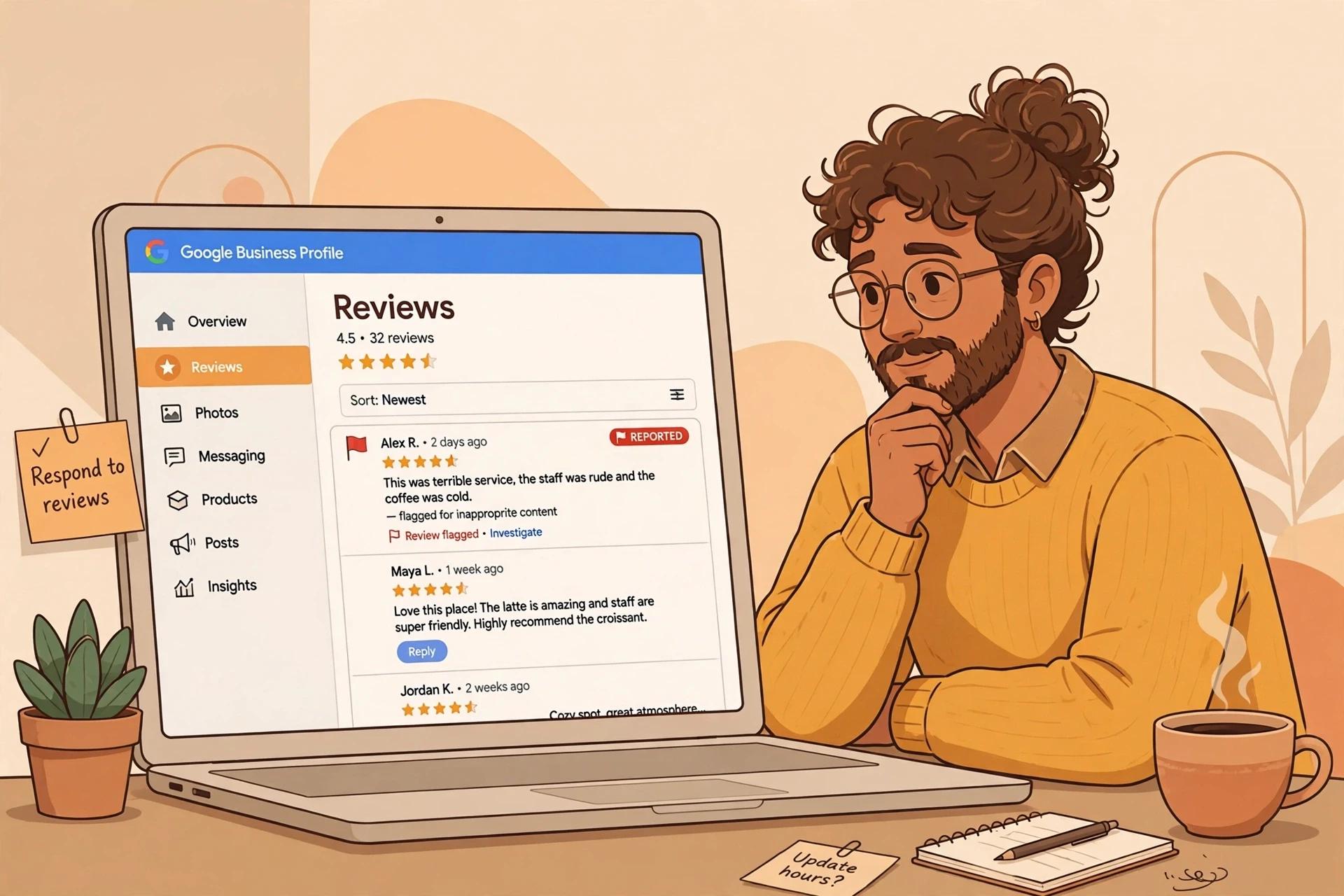
Not every bad review deserves a long reply. Some break Google's rules and can be reported for removal: spam, fake reviews, abusive language, off-topic content, or reviews written by someone with a conflict of interest, such as a competitor or an ex-employee. A review about the wrong business can also be reported.
To report one, open your Google Business Profile, go to your reviews, find the review and use the report option. Google decides whether it comes down, and removal is not guaranteed, so always write a calm public reply while you wait. Readers can usually tell a fake review.
Do not report a review just because it is negative. A genuine complaint from a real customer, even a harsh one, is not a rule break, and reporting it can make you look like a business that hides criticism. Report only rule-breaking reviews, reply to the rest, and fix the real problems behind them. If the same complaint keeps appearing, that is not a review problem. It is a business problem, and fixing the cause beats any reply.
A clear web presence with correct contact details and real photos also helps here, because unhappy customers who can reach you directly by phone or WhatsApp are less likely to leave their complaint only as a public review. And you can only reply to reviews once your profile is verified, so fix that first: Lixber's SEO team can help with setup and verification for businesses across Pakistan.
How to turn a bad review into a repeat customer
The public reply is only half the work. The real win happens offline, and it is simpler than most owners think.
First, check the facts with your team before you reply. Ask who served the customer, what happened, and whether the complaint is fair. Replying with wrong facts in public is embarrassing and hard to undo. Second, contact the customer directly, by phone or WhatsApp, and listen before you explain. Many unhappy customers just want to be heard, and a sincere call often matters more than any refund or redo. Third, fix what is fair: a redo, a corrected bill, or an apology in person. Do not promise what you cannot deliver, and do not offer anything in exchange for changing the review.
If the customer is happy after your call, simply thank them. Whether they update their review is their choice, and you should never ask them to. Either way you have gained something more valuable: a customer who knows you take complaints seriously, and a public reply that shows the next hundred readers exactly that. A clean, mobile-friendly design on your website supports the same trust.
Frequently asked questions
Should I reply to every Google review, even good ones? Yes. A short thank you shows future customers a real person runs the business, and encourages the next happy customer to leave one. Keep it to one or two lines, mention something specific, and invite them back.
How fast should I reply to a negative Google review? Within a day or two is ideal. A quick reply shows you are paying attention, and it stops the complaint sitting unanswered while new customers read it. If you are angry when you first read it, wait an hour, check the facts with your team, then write calmly.
Can I delete a negative Google review? No, you cannot delete a review yourself just because it is negative. You can only report reviews that break Google's rules, such as spam, fake reviews or abusive language, and Google decides whether to remove it. For genuine complaints, a calm public reply is the right response.
What should I write if the review is fake or from someone who was never a customer? Reply briefly and politely without arguing, saying you have no record of their visit and inviting them to call you so you can check. Then report the review through your Business Profile. A calm reply matters because readers can usually tell a fake review, and your tone is what they judge.
Should I offer a discount to a customer who left a bad review? Do not offer discounts or freebies in a public reply, and never offer anything in exchange for editing or removing a review. Google does not allow incentives for reviews. Fix what is fair offline, such as a redo or a corrected bill, because that is good service, not because it buys a better review.
Learning how to reply to negative Google reviews in Pakistan comes down to one habit: answer quickly, be specific, own what was yours, say what changed, and move the details to a phone call. Do that consistently, and bad reviews stop being a threat and start being proof that your business listens. Message Lixber on WhatsApp or book a free call: https://www.lixber.com/#contact
8. Images
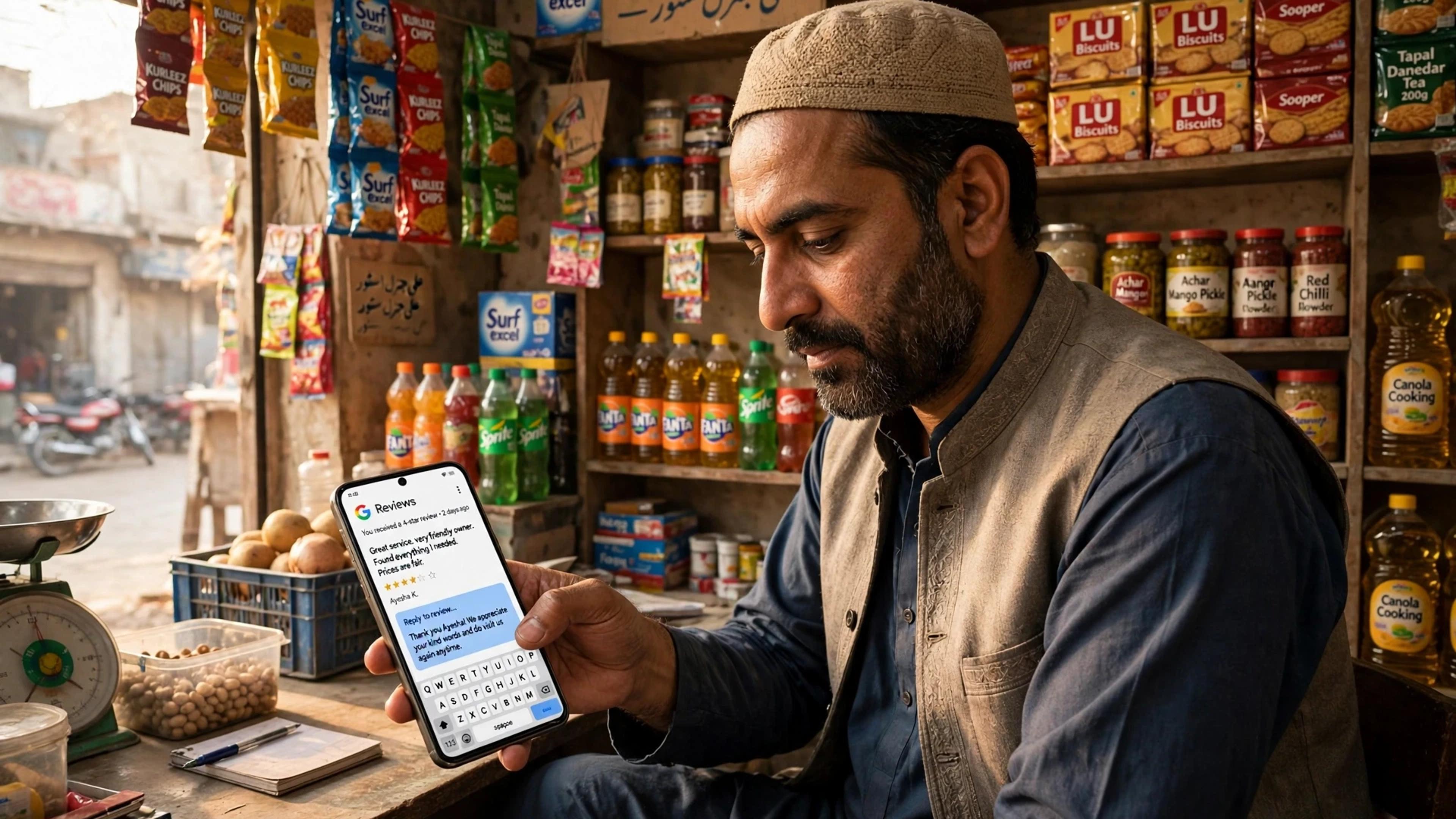
Cover: photorealistic scene, a calm Pakistani shop owner in a small Lahore shop typing a reply on a smartphone, a Google review screen with stars visible on the phone, warm daylight, shop shelves in the background. Alt text: "How to reply to negative Google reviews in Pakistan: a business owner writing a calm reply on a phone". File: blog-pk-21/cover-replying-to-negative-reviews-pakistan.webp
Inline 1 (after the "How to reply to negative Google reviews in Pakistan: the 4-part formula" H2): clean flat illustration of a four-step reply formula on a phone screen, thank, own, fix, move offline, simple modern style, warm colours. Alt text: "Four-part formula for replying to a negative Google review". Caption: "Thank, own, fix, move offline: four sentences cover almost every complaint." File: blog-pk-21/inline1-four-part-reply-formula.webp
Inline 2 (after the "How to reply to negative Google reviews in Pakistan when the review is fake" H2): clean flat illustration of a laptop showing a Google Business Profile reviews dashboard with a report flag on one review, a friendly business owner reviewing it, simple modern style, warm colours. Alt text: "Reporting a fake Google review from a Google Business Profile dashboard". Caption: "Report only reviews that break the rules, and reply calmly while you wait for Google's decision." File: blog-pk-21/inline2-reporting-fake-review.webp
Want help with this?
Lixber can do it for you.
See how we handle seo for businesses in Pakistan, with a written plan and price after a free call.
Explore lixber.com/seo →Newsletter
One practical tip a week.
Plain-English advice for local businesses. No spam.
Written by
Rehan AliRehan Ali is a software engineer and co-founder of Lixber, a digital agency building websites, SEO and automation for service businesses.
Keep reading
All guides
Google Business Profile for Doctors in Pakistan
A Google Business Profile for doctors in Pakistan puts your clinic on Google Maps when patients search nearby. Setup, verification, reviews and ranking steps for clinics and doctors.
A Google Business Profile for doctors in Pakistan puts your clinic on Google Maps when patients search nearby. Setup, verification, reviews and ranking steps for clinics and doctors.
How to Recover a Lost Google Business Profile in Pakistan
Lost access to your Google Business Profile? This guide shows Pakistani business owners how to recover it step by step, from requesting access to appealing a suspension.
Lost access to your Google Business Profile? This guide shows Pakistani business owners how to recover it step by step, from requesting access to appealing a suspension.

Google Business Profile Verification Problems Pakistan
Google Business Profile verification problems in Pakistan usually mean a failed video, a postcard that never arrives, or a detail that does not match. Here is how to fix each one.
Google Business Profile verification problems in Pakistan usually mean a failed video, a postcard that never arrives, or a detail that does not match. Here is how to fix each one.